Heating control with wireless PG output module – JB-162N-PLUG
The JABLOTRON 100+ alarm system allows you to control an electric or gas boiler using a pass-through socket with a PG output, with an emphasis on speed and ease of installation.
The boiler can be controlled by the user
| locally from the thermostat | remotely using the MyJABLOTRON app |
|---|---|
 |  |
Required equipment
Control panel
Output module | Radio module
Thermostat | Thermometer
Other
- F-Link 2.6.1. and newer due to support of the JB-162N-PLUG peripheral.
Wiring
Connecting the product requires knowledge of manuals of all components used.
Fig.1.: Connecting the pass-through socket to the power outlet near the boiler, cable to the boiler’s control terminal.
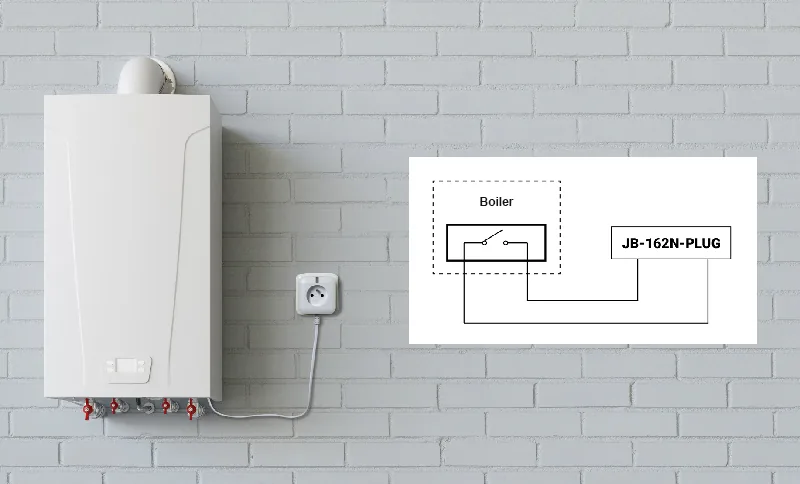
In practice, you plug the JB-162N-PLUG socket into the power outlet near the boiler and then connect the output cable to the boiler control terminals. Each boiler has control terminals in a different location and under different markings. For this reason, it is necessary to study the manual of the boiler or contact the boiler supplier.
Setup and programming
- PG logic setup. Name the PG output, e.g. "Heating", set the function to ON/OFF.

- Enrol thermostat to any position in the system and set to PG Heating.

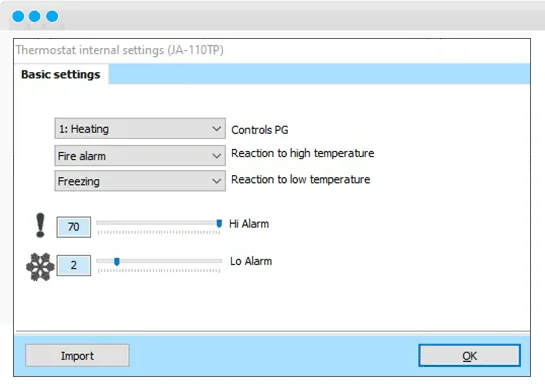
PG logic setup
- Enrol the JB-162N-PLUG outlet to any position in the system and set to PG Heating.

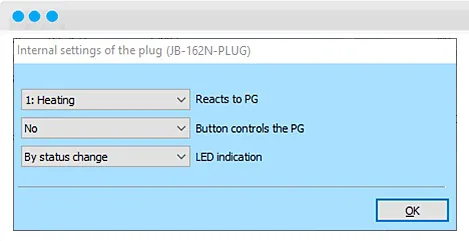
PG logic setup
- Register the alarm into JABLOTRON CLOUD.
Local and remote control
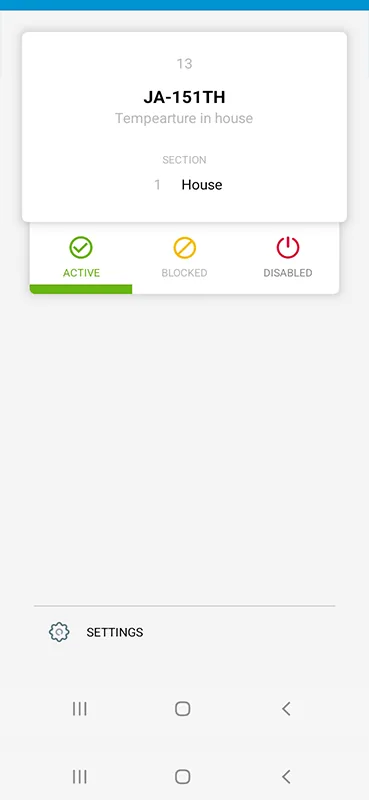
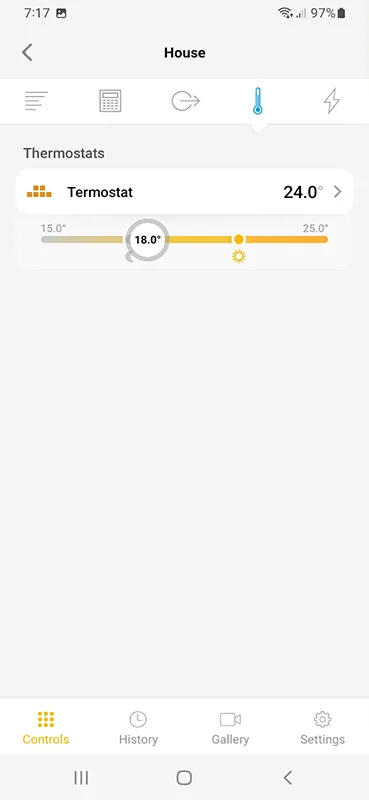
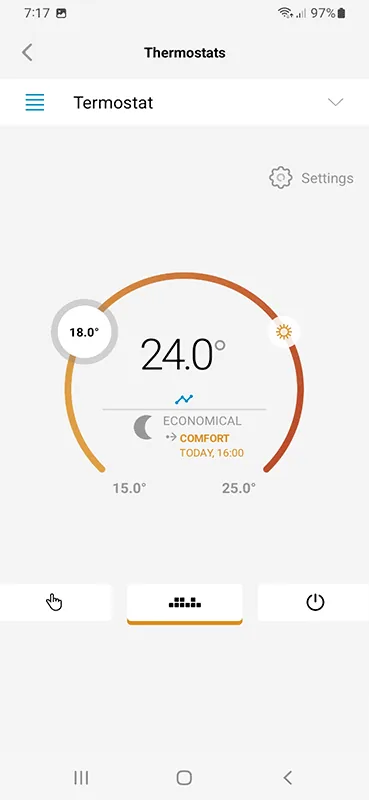
Local control of the heating can be done directly from the thermostat, but much more convenient control is possible from the MyJABLOTRON mobile app.
Controls:
Settings:
The user can set the temperatures and timers for thermostat in their MyJABLOTRON app in the thermostat settings.

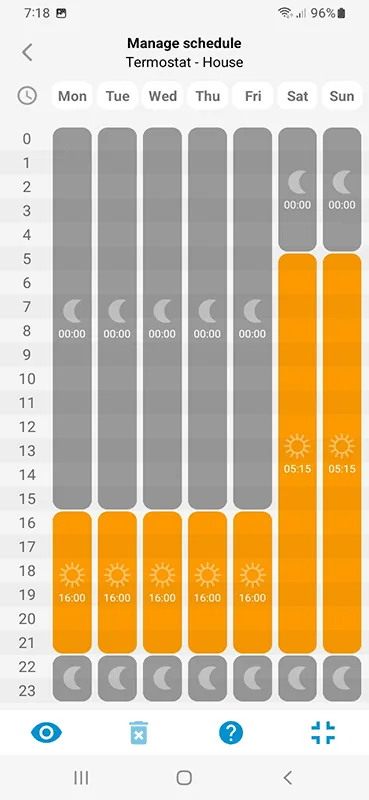
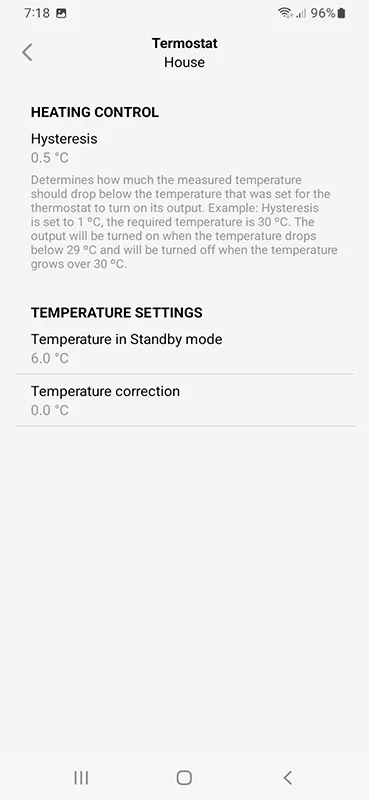
More advanced settings can also be made by the installer from the MyCOMPANY app. The internal settings of the thermostat can be accessed in the peripherals list. Here, in addition to the time plan itself, advanced settings can be accessed.
Note.: When using the JA-111TH / JA-151TH thermometer, it is necessary to assign PG Heating in MyCOMPANY, as this is a CLOUD function.