How to pay for the JDS service from the MyJABLOTRON mobile application

Step-by-step manual how to pay for the JDS from the MyJABLOTRON mobile application.
Required equipment

Mobile phone with Android or iOS
(we support two latest versions of operating systems)
The latest version of MyJABLOTRON app
Payment procedure
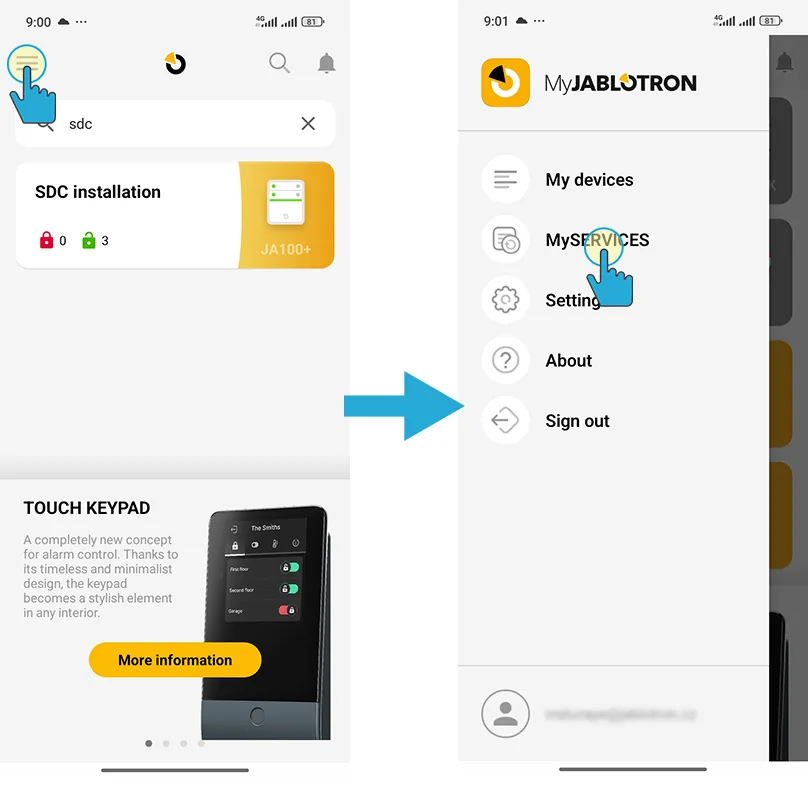
- Go to menu and select MySERVICES.
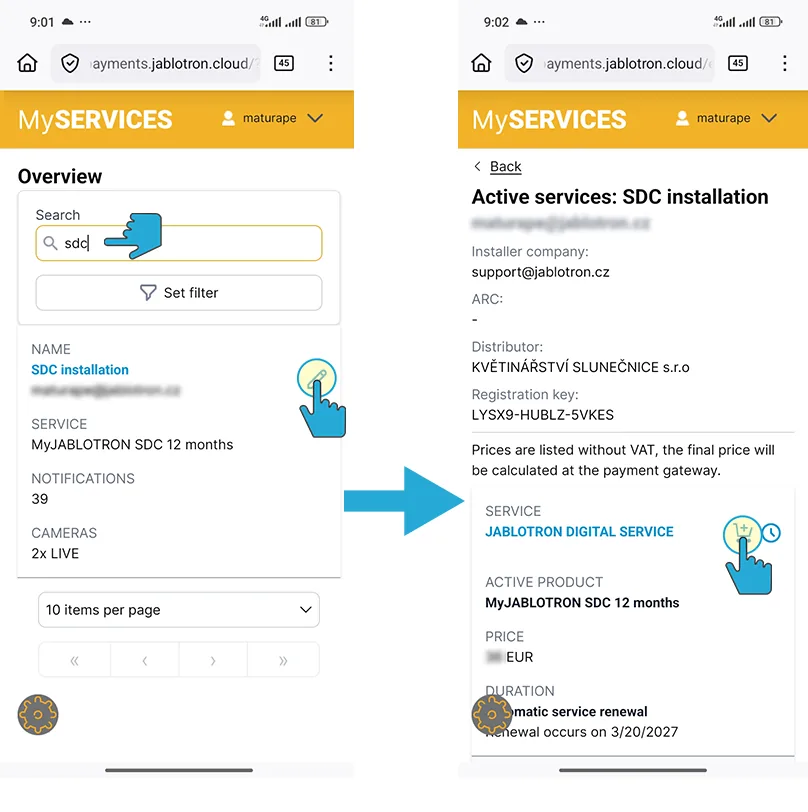
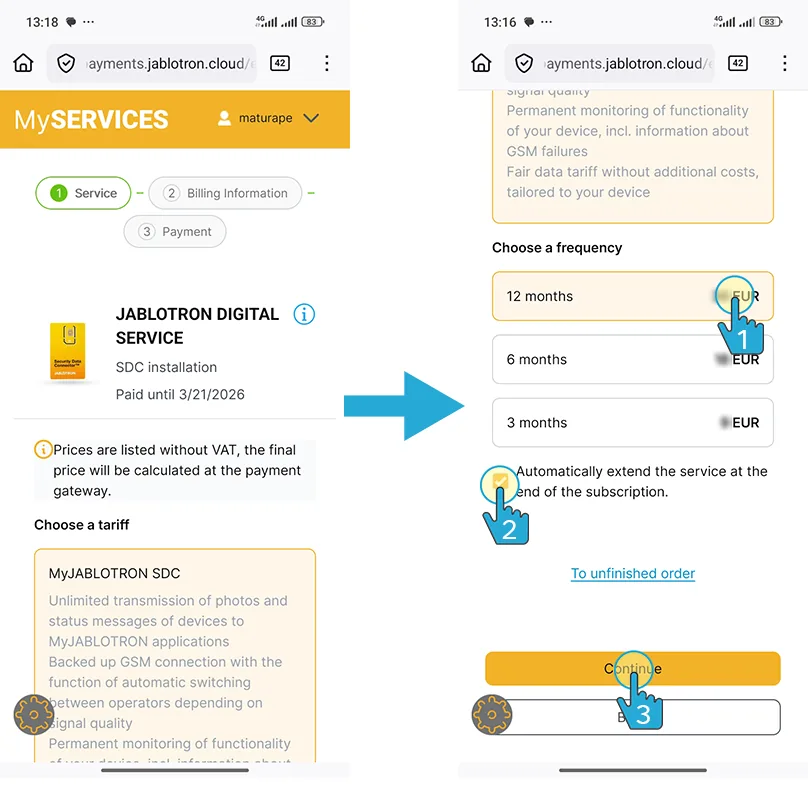
- Search and select the service you want to pay for. Add the JABLOTRON DIGITAL SERVICE to the cart. Select the period for which you want to pay. If you don't want to pay automatically next time, cancel Automatic renewal confirmation. Then click to Continue.
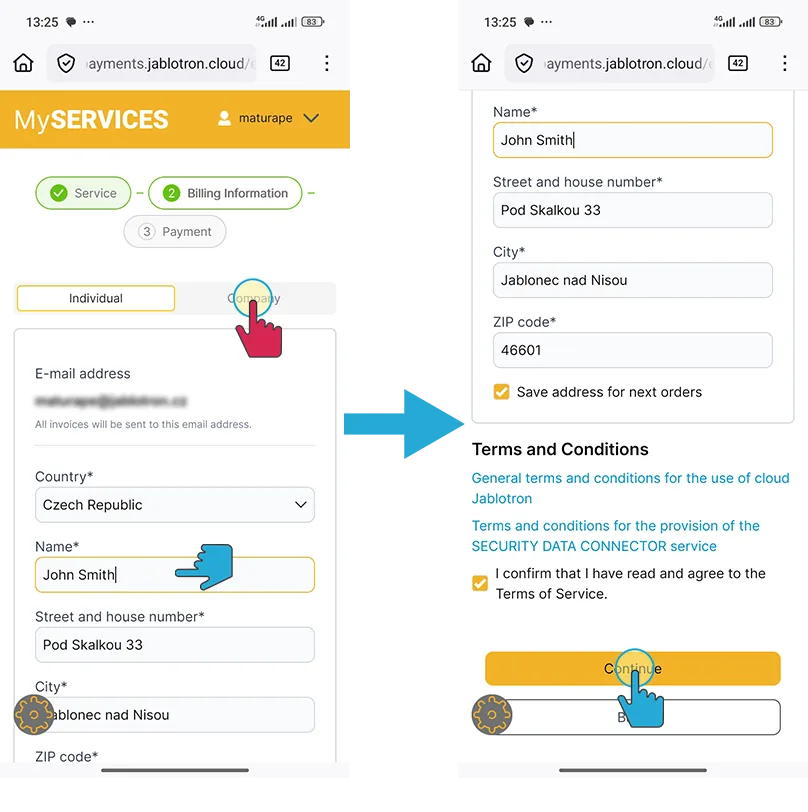
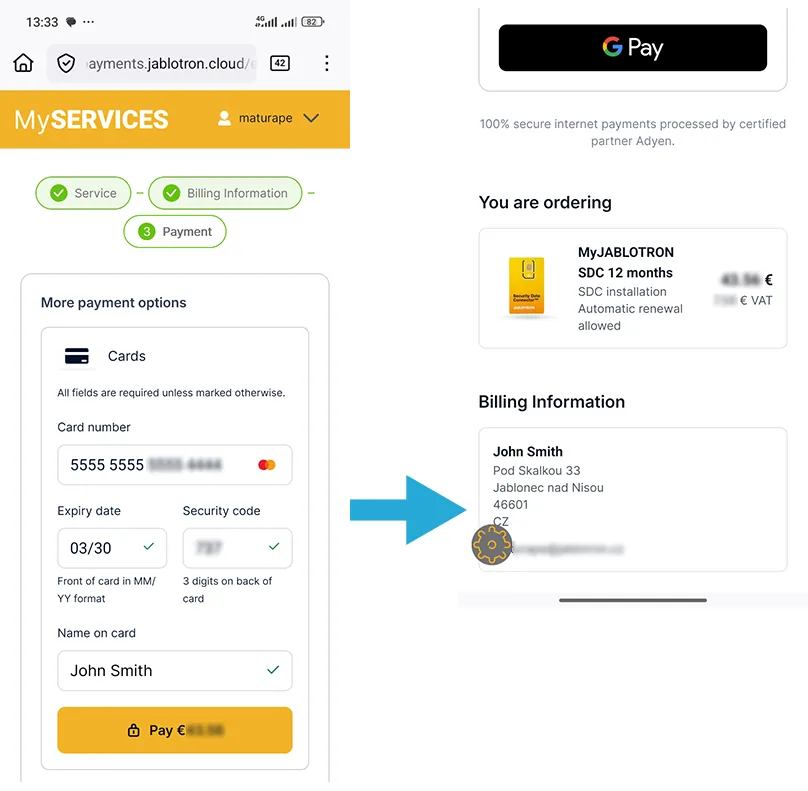
- In the last step select the payment method, check your billing information and confirm the payment.
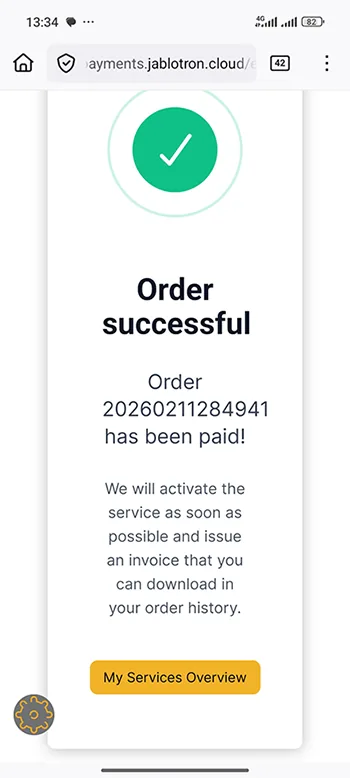
- A successful payment is notified by information with a specific payment number.
Frequently Asked Questions
- When will I receive an invoice?
- If I do not have an active auto-renewal, will I be notified of the need for payment?
- I forgot to pay and my service is blocked. What I can do?
- I forgot to pay and my service is blocked longer than 365 days. What I can do?