Alarm, cameras and heating in one application – MyJABLOTRON


Access to the application requires a system registered with the JABLOTRON Cloud service.
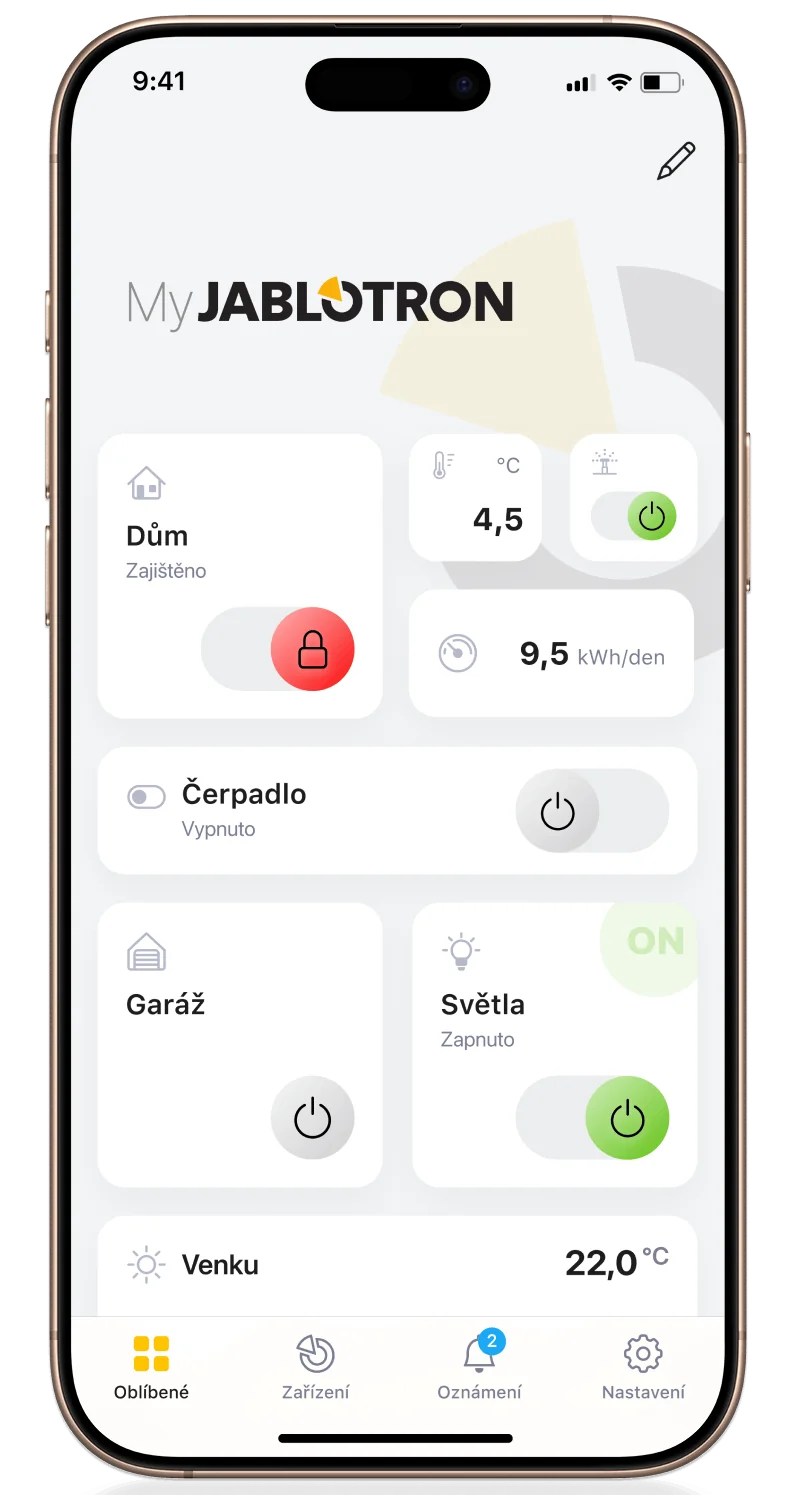
What the application can do
The range of functions varies according to the type of control unit and how it has been configured by the installation partner.
Remote operation
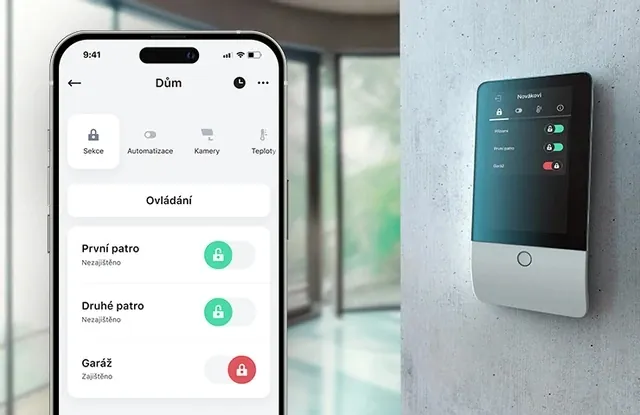
Setting and unsetting the whole system or individual sections, including group control.
System status
The current alarm status of each section and an event log with times.
Notification
Alerts about alarms, faults and other events by PUSH notification, e-mail or SMS.
Cameras
Live view, saved recordings and snapshots. Alarm periods marked on the timeline.
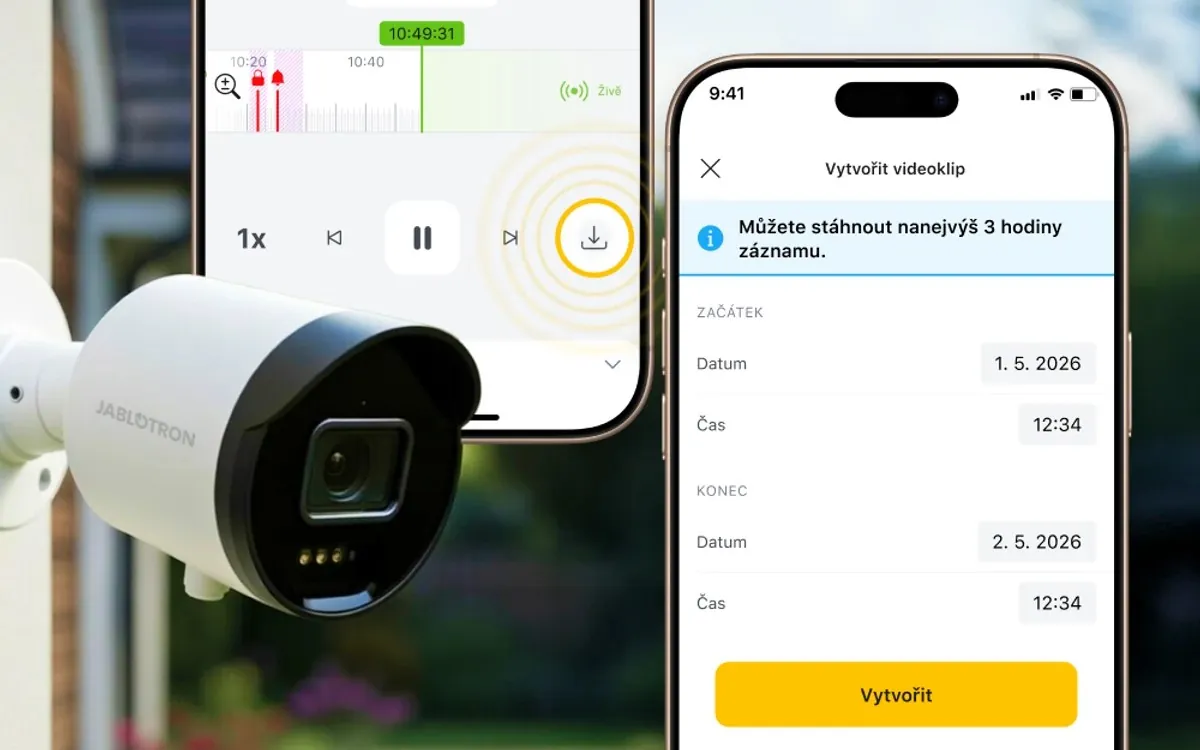
Recording from the memory card
Selecting a period by date and time, creating a video clip and downloading it to your phone.
Home automation
Control of the system's programmable outputs – lighting, a pump, irrigation, gates.
Temperature and consumption
Measured values in charts by day, week, month and year, with export to CSV.
Sharing access
Share control with family, friends or colleagues according to their authorisation.
User and peripheral management
Adding, renaming and removing users, assigning a code and editing a phone number. Blocking peripherals and renaming sections and outputs.
Tablet and watch
A tablet layout with the DASHBOARD function and control from Apple Watch.
Remote operation
Set and unset the whole system, or individual sections separately – for example a floor, a garage or business premises. The application shows the current status of each section and group control for the whole building.
- Section states
- unset · part set · set
- Event log
- directly in the application
- Changes in the application
- section and output names, blocking of peripherals
- User management
- JABLOTRON 100+ / JABLOTRON Mercury with JABLOTRON SIM
Cameras with recording - cloud, SD card, NVR
The application shows live view, snapshots and saved recordings. Alarm periods are marked on the timeline. You can download a video clip from the camera's memory card directly to your phone.
- Live view
- yes
- Length of one clip
- up to 3 hours of recording
- Period selection
- start and end date and time
- Saving the clip
- phone, shared folder, e-mail
Temperature, consumption and data export
The application displays measured values in charts and can export them for archiving or analysis.
3 years
The data remain available directly in the application for up to three years.
CSV
Export of temperature and consumption data in a format compatible with spreadsheet applications.
4 periods
Charts by day, week, month and year. You select the period before exporting.
Thermostat
Setting the temperature and heating programmes, including control from Apple Watch.
Supported systems
MyJABLOTRON runs alongside the original version of the application. The range of functions depends on the type of control unit.
- JABLOTRON 100 and JABLOTRON 100+
- Full support for control, states, cameras, automation and measured data.User management for JABLOTRON 100+ with JABLOTRON SIM.
- JABLOTRON Mercury
- Full support for control, states, cameras, automation and measured data.User management with JABLOTRON SIM.
- FUTURA
- Basic system functions.
How to get started
- 1
Registration in JABLOTRON Cloud
The security system must be registered with the JABLOTRON Cloud service. Registration is carried out by a certified installation partner.
- 2
Signing in by e-mail
If you have already received an e-mail invitation to MyJABLOTRON, sign in to the application with the same e-mail address.
- 3
Contacting your partner
If you have no invitation, contact your JABLOTRON partner, who will register the system.
Before you start
Note on battery life
When the application is running in the foreground, it regularly checks the status of the alarm system so that you have up-to-date information. This may affect your phone's battery life.
Frequently asked questions
No. It is a new generation of the application with new capabilities. The original version remains in operation.
Your system must be registered with the JABLOTRON Cloud service. If you have received an e-mail invitation to MyJABLOTRON, sign in with the same e-mail address. If not, contact a certified JABLOTRON partner, who will register the system.
The range of functions depends on the type of control unit and on what the installation partner has set in the system. For example, user management is available for JABLOTRON 100+ / JABLOTRON Mercury control units with JABLOTRON SIM.
For up to three years. For longer archiving, use the export to CSV.
One video clip can contain up to three hours of recording. You select the start and end by entering the date and time.
When the application is running in the foreground, it regularly checks the status of the alarm system so that you have up-to-date information. This may affect your phone's battery life.
No. The tablet view appears automatically after the application is updated to version 1.21.0 or later.
Download MyJABLOTRON
The application is free of charge. You get access once the installation company has registered the system.