PT-P700-X
Label printer
Label printer for labelling the segments of JABLOTRON access modules. It prints directly at the installation site. From F-Link version 1.2.0.
Key specifications
- Dimensions (w x l x h)
- 78 x 152 x 143 mm
- Weight, with no batteries and no tape
- 710 g
- Power
- mains adapter AD-E001 EU (in accessories) 6 x alkaline batteries AA (LR6) / 1.5 V (not in accessories)
- USB Port
- USB mini B (in accessories)
- Tape box for segment label printing
- 12 mm (w), 8 m (l)
- Tape box for different printing other than segments
- 24 mm (w) / 3 m (l)
Basic description
- Printing of segment labels directly on site. From F-Link 1.2.0+.
- Mains or 6 AA battery power. Editor stored in the printer.
Why choose this product
Printing installation labels
The printer labels the control segments of JABLOTRON keypads and access modules directly at the installation site. Printing from F-Link is possible from version 1.2.0 with the driver installed. Alternatively, the P-Touch Editor Lite stored directly in the printer can be used, without installing any drivers.
- Printing of segment labels
- From F-Link 1.2.0+ or with the editor in the printer
- Dimensions 78 × 152 × 143 mm, 710 g
Frequently asked questions
For printing labels for the control segments of JABLOTRON keypads and access modules directly at the installation site.
From F-Link version 1.2.0 with the printer driver installed. Alternatively, use the P-Touch Editor Lite stored directly in the printer.
Technical specifications
- Dimensions (w x l x h)
- 78 x 152 x 143 mm
- Weight, with no batteries and no tape
- 710 g
- Power
- mains adapter AD-E001 EU (in accessories) 6 x alkaline batteries AA (LR6) / 1.5 V (not in accessories)
- USB Port
- USB mini B (in accessories)
- Tape box for segment label printing
- 12 mm (w), 8 m (l)
- Tape box for different printing other than segments
- 24 mm (w) / 3 m (l)
Warning
- Batteries and the tape cassette are not supplied; the mains adapter is. Printing from F-Link requires version 1.2.0 or higher and an installed driver. Do not confuse the tape size with the size of the printable area.
Installation example
Prepare the printer according to the manufacturer's instructions.
Power the printer with the AD-E001 mains adapter or with six AA batteries.
Insert the tape cassette according to the type of printing.
To print from F-Link (1.2.0+), install the driver, or use the editor stored in the printer.
Print the segment labels and stick them on.
Related products
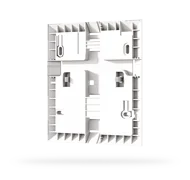
JA-105PL
Surface mounting plate for JA-115E and JA-155E
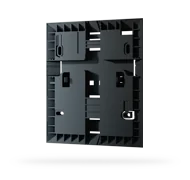
JA-105PL-AN
Surface mounting plate for JA-115E and JA-155E - anthracite
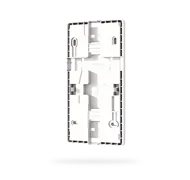
JA-106PL
Surface mounting plate for JA-116E and JA-156E
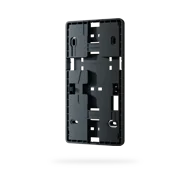
JA-106PL-AN
Surface mounting plate for JA-116E and JA-156E
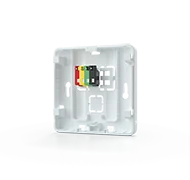
PLV-JB11XTX
Backplate for surface mounting of BUS thermostat/sensor
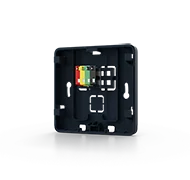
PLV-JB11XTX-AN
Backplate for surface mounting of BUS thermostat/sensor - anthracite
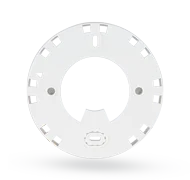
PLV-P-ST
Universal ceiling circular spacer
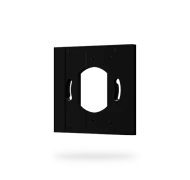
WRE-KU68-BK
Mounting pad for JA-120E-BK outdoor reader and JA-121E-BK
WRE-KU68-WH
Mounting pad for JA-120E-WH outdoor reader and JA-121E-WH
WRE-SC-BK
Box for surface cable pulling of the JA-120E-BK and JA-121E-BK keypad
WRE-SC-WH
Box for surface cable pulling of the JA-120E-WH and JA-121E-WH keypad
JS-7902
Curtain lens
Help us improve the catalog
Missing something, or found a mistake? Let us know.