JA-111TH
Bus temperature detector
It measures the temperature indoors and shows it on keypads and in MyJABLOTRON. It warns when a critical temperature is reached.
Product line
- JABLOTRON 100+
- JABLOTRON Mercury
Compatibility
JA-100K, JA-101K, JA-106K, JA-103K, JA-107K, JA-108K, JA-102K
Check compatibilityKey specifications
- Power
- from the control panel BUS 12 V (9 … 15 V)
- Current consumption in standby mode
- 5 mA
- Current consumption for cable selection
- 5 mA
- Dimensions
- 55 x 27 x 16 mm
- Weight
- 12 g
- Temperature measurement range
- -20 °C to +70 °C
- Operational temperature range
- -20 °C to +70 °C
Basic description
You can use the thermometer anywhere the temperature needs to be monitored and logged, or where a warning is needed when a limit value is reached. Linked to a PG output, the thermometer can easily maintain a fixed background temperature of 6 °C. Indoor and outdoor versions are available, in both bus and wireless variants.
- For indoor environments and normal interior temperatures
- An overview of the temperature locally and remotely
- A warning at a set low or high temperature
- Fixed frost-protection temperature (alarm, PG switching) of 6 °C
Why choose this product
An overview of the temperature from anywhere. Even in retrospect
The user sees the current temperature on keypads with a display and in MyJABLOTRON. The temperature is updated every 5 minutes, and MyJABLOTRON shows its progress in a clear graph.
- Temperature history of up to 1 year
- Display of the highest, lowest and average temperature for a selected period
An immediate warning at a critical temperature
In MyJABLOTRON, both a low and a high temperature can be set at which the app sends the user a notification.
- PUSH notification
- SMS
Basic protection against freezing
When the temperature drops, the thermometer can trigger an alarm or switch a PG output for simple background heating, for example at a weekend cottage or in a garage.
- Fixed frost-protection temperature of 6 °C with a hysteresis of ±1 °C (activates at 5 °C, deactivates at 7 °C)
- For full temperature regulation, choose from the range of system thermostats
Frequently asked questions
The system reports exceeding or dropping below the set limit as an information message. The control unit can also respond to the fixed frost-protection activation with an alarm if the engineer sets up such a response.
The measurement itself and the frost-protection activation run in the control unit and do not need the cloud. However, reading the value in the app, setting the limits and messages about exceeding them do go through the cloud, and switching a PG output according to the temperature requires a stable connection between the control unit and the cloud via GSM or LAN. If the connection is lost, the PG output stays in its current state until communication is restored.
Technical specifications
- Power
- from the control panel BUS 12 V (9 … 15 V)
- Current consumption in standby mode
- 5 mA
- Current consumption for cable selection
- 5 mA
- Dimensions
- 55 x 27 x 16 mm
- Weight
- 12 g
- Temperature measurement range
- -20 °C to +70 °C
- Operational temperature range
- -20 °C to +70 °C
- Temperature measurement range accuracy
- ±0.5 °C
- Also complies with
- EN 50130-4, EN 55022
Warning
- Always connect the bus with the system power completely switched off. Do not place the detector near sources that affect the temperature (heating, fans, air conditioning, fireplace inserts, etc.), as the measurement would then not correspond to reality. In an outdoor environment, it must be housed in a suitable box with ingress protection of at least IP65, for example the JA-192PL-A.
Installation example
Open the cover by pressing the latch.
Break out the holes for the bus cable in the rear part of the cover.
Pull the bus cable through and screw on the rear part of the cover.
Connect the bus cable to the terminal block; always connect the bus with the system power completely switched off.
In F-Link, select the required position on the Devices tab and switch on enrolment mode with the Enrol option; use the Scan/add new BUS devices option to select the detector and confirm the enrolment by double-clicking; the yellow LED goes off. It can also be enrolled by pressing the LEARN button or by entering the serial number in F-Link.
Close the detector cover. Then follow the installation manual of the control unit.
Related products
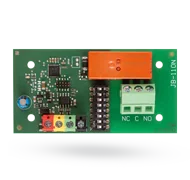
JB-110N
Bus PG power output module
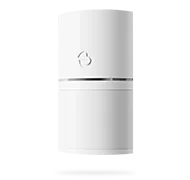
JA-112P
Bus PIR motion detector
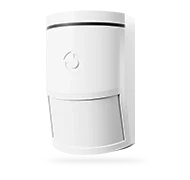
JA-110P
Bus PIR motion detector
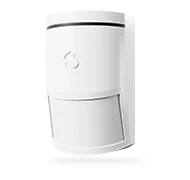
JA-110P PET
Bus PIR motion detector with basic pet immunity
JA-115P
Bus ceiling PIR motion detector
JA-122PW
Bus dual PIR and MW motion detector
JA-122PB
Bus combined PIR motion and glass break detector
JA-122PC
Bus combined PIR motion detector with 90° photoverification camera
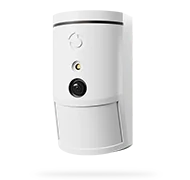
JA-120PC (90)
Bus PIR motion detector with 90° photo-verification camera
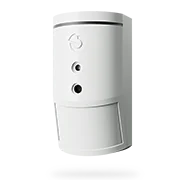
JA-120PC
Bus PIR Motion Detector with Camera
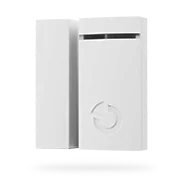
JA-111M
Mini bus magnetic detector
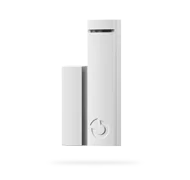
JA-113M
Bus magnetic detector with recognition of external magnetic fields
Help us improve the catalog
Missing something, or found a mistake? Let us know.