JA-114E-GR
Bus Access Module with display, keypad and RFID - grey
Physical buttons tailored to the particular premises. Traffic-light logic for quick, clear everyday control, a display and a menu for advanced functions, authorisation by code as well as by a 125 kHz tag.
Color variants
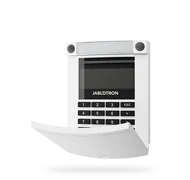
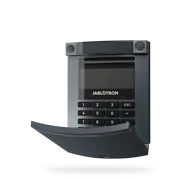
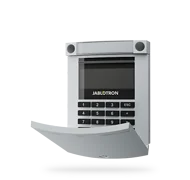
Certification
Product line
- JABLOTRON 100+
Compatibility
JA-100K, JA-101K, JA-106K, JA-103K, JA-107K, JA-108K
Check compatibilityKey specifications
- Current consumption in standby mode
- 15 mA
- Current consumption for cable selection
- 100 mA
- RFID frequency
- 125 kHz
- Classification
- Grade 2
Basic description
Revolutionary simplicity of alarm control that even children can manage. The left green button unsets, the right red button sets. Besides that, the buttons can also control functions such as doors, lighting and other appliances.
- To unset, press the green button and enter a code or present a tag. Setting is possible without authorisation too; just press the red button and leave.
- Up to 20 segments cover the needs of larger buildings as well, clearly at a single glance
- Group control of several sections by a shared segment; even a more complex system can be controlled with one press
- The display and the menu show details of events and make it possible to set up users and to block detectors
Why choose this product
Modular construction
The keypad contains 1 fixed segment. Up to 19 further JA-192E segments, sold separately, can be attached to it. The segment labels are printed directly from F-Link using a PT-P710BT printer.
- Each segment can be configured entirely individually
- The functions used most often are assigned to the segments; the rest can be controlled in the menu
- Up to 2 segments can control subordinate segments as a group. One press therefore sets the house, the cellar, the garage and the garden all at once, for example.
Simple authorisation
After pressing a segment, it is enough to enter a numeric code or present a tag once. From that, the system distinguishes who is operating it and whether they have the authorisation needed.
- Authorisation is always required for unsetting
- For setting or PG control, mandatory authorisation is optional, separately for each segment
- On arrival, control by authorisation alone is possible; just present a tag and the section concerned is unset automatically
Choosing the right type of keypad
A broad portfolio of keypads meets different control needs. From the main entrance through a floor or a garage to a gate or a delivery entrance.
- The main keypad of the system should always have a display for full control; choose from the JA-1x4E, JA-1x5E or JA-1x6E
- A secondary keypad on a floor or in a garage can be without a display; choose from the JA-1x3E, JA-121E or JA-123E
- For a single-purpose function such as passing through a door or opening a gate, a reader may be enough; choose from the JA-1x2E, JA-120E or JA-122E
Frequently asked questions
In the display. JA-114E has an information LCD display, JA-113E does not; the modular architecture, the segments and the RFID reader are identical. The display shows in the consumption: the maximum consumption of JA-114E is 100 mA against 20 mA for JA-113E.
When the installation needs more than four control elements, or when their number may change over time. JA-114E is built from JA-192E segments into an assembly of up to 20 segments, and the assembly can be changed at any time by levering it apart at the parting line. JA-115E has four fixed segments and cannot be extended.
They are printed in F-Link on the Devices tab in Internal settings and inserted into the segment covers after mounting. A colour version of the module requires JA-192E segments in a matching colour. Each segment legibly states what it controls, so the user does not have to remember the controls.
Technical specifications
- Power
- from control panel digital bus (9…15 V)
- Current consumption in standby mode
- 15 mA
- Current consumption for cable selection
- 100 mA
- Each additional control segment
- 0.5 mA
- RFID frequency
- 125 kHz
- Operating temperature range
- -10 to +40 °C
- Operational environment according to EN
- 50131-1 II. Indoor general
- Classification
- Grade 2
- according to
- ETSI EN 300330, EN 50131-1, EN 50131-3,
- Also complies with
- EN 50130-4, EN 55022, EN 60950-1
- Can be operated according to
- ERC REC 70-03
Warning
This keyboard works with RFID chips. If you combine it with a keyboard or type reader in the installation MiFare (NFC), equip users with dual XY type authorization chips (contain both technologies).
- The security grade 2 classification applies only when the cover latches are secured with the screws supplied; without that, the installation cannot be documented as compliant with EN 50131-1. The Common segment function is only available from three segments in the assembly onwards; it cannot be used with the module alone and at least two JA-192E segments have to be added. At most two common segments can be configured on one assembly, and combining them with the Section and Common to sections functions is not suitable. Segments do not signal in Service mode or with the None function, and permanent signalling switches off automatically once disconnection of the mains is detected. In Service mode, moreover, the activation button does not signal activation of the module's tamper contact, so do not rely on visual tamper checking during servicing. The idle consumption is 15 mA and the maximum 100 mA. Calculate the total consumption of a full assembly as 15 mA plus 0.5 mA for each further segment. The dimensions and weight apply to the module alone; verify the length of the full assembly physically before designing its position on the wall. A colour version of the module requires JA-192E segments in a matching colour. Connect the bus only with the system power supply completely switched off, and always make changes to the assembly with the bus disconnected. The module is not intended for outdoor installations. The environment is indoor – general, −10 to +40 °C and 75% RH non-condensing. Installation may only be carried out by a trained technician with a valid JABLOTRON certificate.
Installation example
Always connect the bus with the system power supply completely switched off.
Release the module from the back plastic by pressing the four latches on the sides one after another.
When extending the assembly, take out the end cap above the first segment.
Offer up the next segment and plug its conductor into the connector of the previous segment. Coil the conductors by rotating the segment through 360° so that they are not pinched between the plastic parts.
Once the assembly is complete, put the end cap back on.
Screw the back plastic together with the segments onto the position chosen; 4× Ø 3.5 × 40 mm screws with a countersunk head are recommended.
When more than two segments are used, screw every third segment to the wall.
Connect the bus conductors to the terminal block and the segment feed to the internal connector of the module.
Click the module into the back plastic and secure the cover latches with the screws supplied.
Switch on the system power supply and enrol the module in F-Link by pressing the illuminated activation button above the display, or by entering the full serial number below the bar code.
In F-Link, set the segment functions, the waking of the assembly and the acoustic signalling, then print the labels and insert them into the segment covers.
Accessories

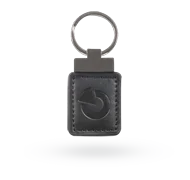

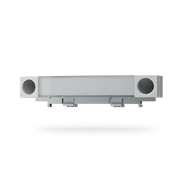
Related products
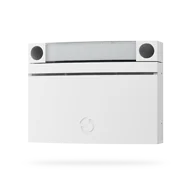
JA-112E
Bus RFID Access Module
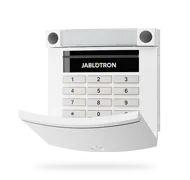
JA-113E
Bus Access Module with keypad and RFID
JA-114E
Bus Access Module with display, keypad and RFID
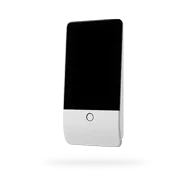
JA-116E
Bus touchscreen keypad with RFID reader
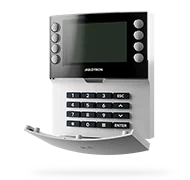
JA-115E
Bus four-segment keypad with display and RFID reader
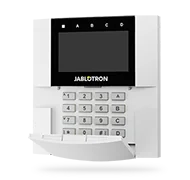
JA-110E
Bus keypad
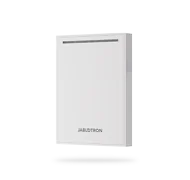
JA-120E-WH
Bus outdoor RFID / NFC reader - white
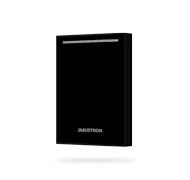
JA-120E-BK
Bus outdoor RFID / NFC reader - black
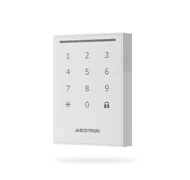
JA-121E-WH
Bus outdoor keypad with RFID / NFC reader - white
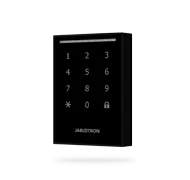
JA-121E-BK
Bus outdoor keypad with RFID / NFC reader - black
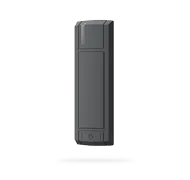
JA-122E-NFC
Bus outdoor RFID reader 13.56 MHz
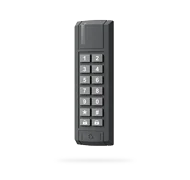
JA-123E-NFC
Bus outdoor keypad with RFID reader 13.56 Mhz
Help us improve the catalog
Missing something, or found a mistake? Let us know.