JA-116E
Bus touchscreen keypad with RFID reader
Intuitive control aligned with MyJABLOTRON. Wide-ranging options simplified to suit everyday use. Authorisation by code as well as by a 125 kHz tag.
Color variants
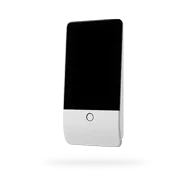
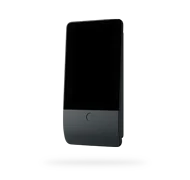
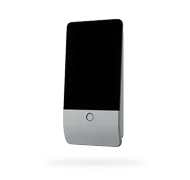
Product line
- JABLOTRON 100+
- JABLOTRON Mercury
Compatibility
JA-103K, JA-107K, JA-108K, JA-102K
Check compatibilityKey specifications
- RFID frequency
- 125 kHz
- Classification
- Security grade 3 / Environmental class II (According to EN 50131-1)
- Dimensions
- 94 x 183 x 31 mm
Basic description
The touch interface keeps maximum simplicity for small installations and at the same time can cover the full range of the largest premises. The individual screens adapt to exactly what the system contains, from guarding control through automation and temperature display to user settings.
- Natural control of sections and programmable outputs, with colour sliders just as simple as in the app
- An individual dashboard with up to 7 of the most-used functions on the home screen
- Group control of sections and programmable outputs; a single press activates the scenario configured
- Browsing the history, setting up users and blocking detectors in the advanced menu
Why choose this product
Simplicity first
Thanks to the alignment with MyJABLOTRON, the controls are highly intuitive. The functions are divided into clear tabs, and if authorisation is needed the display asks for it itself. During an alarm or a fault, a window with the details appears; no searching in the menu.
- On arrival, the keypad for entering the code appears automatically, or you can simply present a tag
- For setting or PG control, mandatory authorisation is configurable, separately for each slider
- The display can wake up automatically on movement in the room and show the dashboard with the most-used functions; one press is enough
It looks great and is easy to mount
We have taken care over the design. Clean shapes with nothing superfluous will blend into a modern interior for many years. Thanks to the touch display, the functions and the security are extended by software updates alone. Mounting is as simple as it can be and requires no special preparation.
- Regular updates with new functions and increased security
- Installation on a box or on a bare wall, with a screwless terminal block for easy wiring
- The JA-106PL pad is available for bringing the cabling in on the surface
Choosing the right type of keypad
A broad portfolio of keypads meets different control needs. From the main entrance through a floor or a garage to a gate or a delivery entrance.
- The main keypad of the system should always have a display for full control; choose from the JA-1x4E, JA-1x5E or JA-1x6E
- A secondary keypad on a floor or in a garage can be without a display; choose from the JA-1x3E, JA-121E or JA-123E
- For a single-purpose function such as passing through a door or opening a gate, a reader may be enough; choose from the JA-1x2E, JA-120E or JA-122E
Frequently asked questions
Yes, the classification is Security Grade 3 and environmental class II. The condition is that the card reader is switched off; authorisation then takes place only by entering a code on the virtual keypad. Cards and tags cannot be offered in such an installation, and the corresponding system profile has to be selected in F-Link.
In the way it is operated. JA-116E has no control segments and no physical numeric keypad; everything is operated on the touch screen, and while the screen is off the system status is carried by the LED in the mechanical button. JA-115E and JA-115E-NFC have four fixed segments, and the JA-113E and JA-114E access modules are built from JA-192E segments. On the screen, the status of the whole system is in one place and the controls do not have to be learned from segment labels.
In F-Link over the system bus, or by a USB-C cable through the service connector. It is carried out by a user with Service authorisation. An update over the bus takes longer than 10 minutes. Once it is complete, check the settings; they may be retained or return to the factory values.
Technical specifications
- Type of control device
- type B
- Power
- from control panel bus 12 V DC (8–15 V)
- Current power consumption for backup chose
- 40 mA
- Nominal current consumption (display OFF)
- 118 mA
- Maximal current consumption (for cable selection)
- 240 mA
- RFID frequency
- 125 kHz
- Note on GRADE 3 profile
- For GRADE 3 profile, the RFID reader is turned off and authorization is only possible by entering a code!
- Maximum RFID magnetic field strength
- -5.4 dBµA/m (measured at 10 m)
- Dimensions
- 94 x 183 x 31 mm
- Weight
- 248 g
- Classification
- Security grade 3 / Environmental class II (According to EN 50131-1)
- Environment
- indoor general
- Operating temperature range
- -10 °C to +40 °C
- Average operational humidity
- 75 % RH, non-condensation
- Certification body
- Trezor Test s.r.o. (nr. 3025), Kiwa Nederland b. v.
- In compliance with
- EN 62311, ETSI EN 300 330, EN 50130-4, EN 55032, EN 62368-1, EN IEC 63000, EN 50131-3, T 031
- Can be operated according to
- ERC REC 70-03
- Recommended screw
- 4x ø 3.5 x 40 mm (half-round head)
Warning
- For Security Grade 3, the RFID reader is switched off and authorisation takes place only by entering a code; cards and tags therefore cannot be used in an installation with grade 3. Authorisation ends automatically 15 s after the screen was last touched. From the factory, all sections are selected but no programmable output; add them in F-Link if you want the keypad to control programmable outputs as well. The keypad is powered exclusively from the control unit bus; when sizing the back-up allow for 40 mA, and when choosing the cable cross-section allow for the maximum consumption of 240 mA; the nominal consumption of 118 mA applies with the display switched off, and a permanently switched-on display increases the consumption. The JA-106PL surface mounting pad does not meet the Incert requirements; when using it, retain the UAM function as well as protection against the keypad being removed from the mounting surface. A firmware update over the bus without USB takes longer than 10 minutes, and once it is complete the previous settings may be retained or reset to the factory values, so check them. On JA-116E the lock screen can only be set to Off or 1 min, while the wireless JA-156E also offers Permanent. Connect the bus only with the system power supply completely switched off, and insert only stripped, straight conductors into the terminal block. The keypad is intended only for the indoor – general environment, −10 to +40 °C and 75% RH non-condensing. Installation may only be carried out by a trained technician with a valid JABLOTRON certificate.
Installation example
Always connect the bus with the system power supply completely switched off.
Take off the back plate of the keypad. If it does not come off easily, first open the locking mechanism.
In the back plate, break out the appropriate knock-out opening, pull the bus cable through and screw the back plate to the wall with four Ø 3.5 × 40 mm screws with a round head. Choose a height at the users' eye level, not 100 to 110 cm as for electric switches.
Connect the conductors to the terminal block: +U red as the positive pole of the power supply, A yellow as data conductor A, B green as data conductor B and GND black as the negative pole. Insert the conductors stripped and straight; do not bend them into a loop or a hook.
Verify the firmness of every joint by pulling gently on the conductor.
Place the keypad on the back plate by aligning its bottom edge and slide it down until the latch clicks.
Turn the locking mechanism through 90° clockwise; the keypad is fixed in place and the tamper contact closes.
Switch on the system power supply and enrol the keypad using the recommended software or app for the type of control unit, by entering the full serial number below the bar code, or in F-Link with the Scan/add new BUS devices option and a press of the mechanical button.
In F-Link, on the Devices tab, select the sections and programmable outputs to be controlled, and set the backlight and the volume for day and night and any control without authorisation.
For a certified deployment, select the corresponding system profile in F-Link on the Parameters tab.
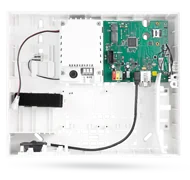
Accessories
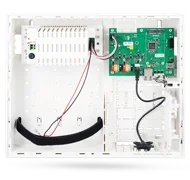
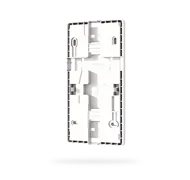
Related products
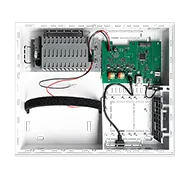
JA-108K
Control panel JA-108K
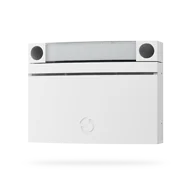
JA-112E
Bus RFID Access Module
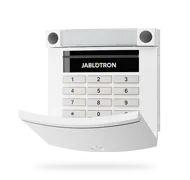
JA-113E
Bus Access Module with keypad and RFID
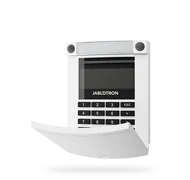
JA-114E
Bus Access Module with display, keypad and RFID
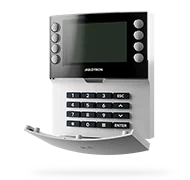
JA-115E
Bus four-segment keypad with display and RFID reader
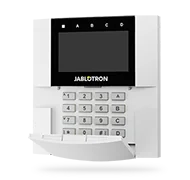
JA-110E
Bus keypad
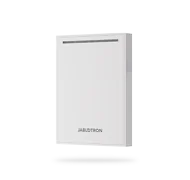
JA-120E-WH
Bus outdoor RFID / NFC reader - white
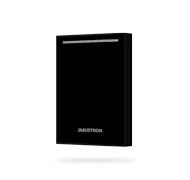
JA-120E-BK
Bus outdoor RFID / NFC reader - black
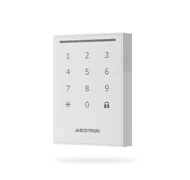
JA-121E-WH
Bus outdoor keypad with RFID / NFC reader - white
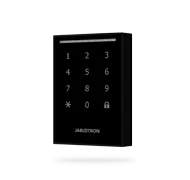
JA-121E-BK
Bus outdoor keypad with RFID / NFC reader - black
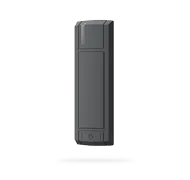
JA-122E-NFC
Bus outdoor RFID reader 13.56 MHz
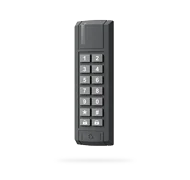
JA-123E-NFC
Bus outdoor keypad with RFID reader 13.56 Mhz
Help us improve the catalog
Missing something, or found a mistake? Let us know.