JA-115E-NFC-AN
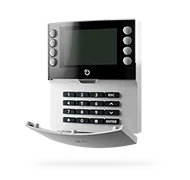
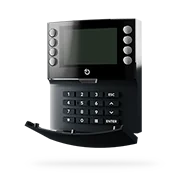
Bus-connected four-segment keypad with display and NFC reader - anthracite
Physical buttons tailored to the particular premises. Traffic-light logic for quick, clear everyday control, a display and a menu for advanced functions, authorisation by code as well as by a 13.56 MHz tag.
Color variants
Product line
- JABLOTRON 100+
- JABLOTRON Mercury
Compatibility
JA-103K, JA-107K, JA-108K, JA-102K
Check compatibilityKey specifications
- NFC frequency
- 13,56 MHz
- Classification
- Security grade 2 / Environmental class II (according to EN 50131-1)
- Dimensions
- 110 x 136 x 33 mm
Basic description
Revolutionary simplicity of alarm control that even children can manage. The left green button unsets, the right red button sets. Besides that, the buttons can also control functions such as doors, lighting and other appliances.
- To unset, press the green button and enter a code or present a tag. Setting is possible without authorisation too; just press the red button and leave.
- 4 fixed segments cover the most-used functions, clearly and with one press
- The display and the menu show details of events and make it possible to set up users and to block detectors
Why choose this product
Simple authorisation
After pressing a segment, it is enough to enter a numeric code or present a tag once. From that, the system distinguishes who is operating it and whether they have the authorisation needed.
- Authorisation is always required for unsetting
- For setting or PG control, mandatory authorisation is optional, separately for each segment
- On arrival, control by authorisation alone is possible; just present a tag and the section is unset automatically
Easy installation
Unlike the modular construction of JA-114E, the 4 segments are a fixed part of the keypad and their number cannot be extended. The keypad covers the most common range while installation is markedly simpler.
- Each segment can be configured entirely individually
- The functions used most often are assigned to the segments; the rest can be controlled in the menu
- No assembling of segments and no printing of labels
Choosing the right type of keypad
A broad portfolio of keypads meets different control needs. From the main entrance through a floor or a garage to a gate or a delivery entrance.
- The main keypad of the system should always have a display for full control; choose from the JA-1x4E, JA-1x5E or JA-1x6E
- A secondary keypad on a floor or in a garage can be without a display; choose from the JA-1x3E, JA-121E or JA-123E
- For a single-purpose function such as passing through a door or opening a gate, a reader may be enough; choose from the JA-1x2E, JA-120E or JA-122E
Frequently asked questions
The reader works at 13.56 MHz, whereas the cards and tags of existing RFID keypads work at 125 kHz. Identifiers cannot be carried over between these frequencies, so when replacing an RFID keypad you have to count on replacing the cards and tags of all users.
The reader frequency and the consumption. JA-115E-NFC authorises at 13.56 MHz and draws 9 mA nominally and 65 mA at most from the bus, while JA-115E reads at 125 kHz. Mechanically and in their dimensions the two keypads are identical; they differ in the reader frequency and the consumption.
Yes, with the JA-105PL mounting pad, or JA-105PL-AN for the anthracite version. It is a non-certified accessory, though, and with the pad the keypad does not meet the security grade declared. For a certified installation, run the cable below the surface and screw the back plate directly to the surface. The cable is hidden in a trunking and no chase is left in the wall.
Technical specifications
- Type of control device
- B
- Power
- from control panel bus 12 V DC (8–15 V)
- Quiescent current consumption
- 9 mA
- Maximal current consumption
- 47 mA
- NFC frequency
- 13,56 MHz
- Maximum NFC magnetic field strength
- -5.4 dBμA/m (measured at 10 m)
- Dimensions
- 110 x 136 x 33 mm
- Weight
- 285 g
- Classification
- Security grade 2 / Environmental class II (according to EN 50131-1)
- Environment
- indoor general
- Operating temperature range
- -10 °C to +40 °C
- Average operational humidity
- 75 % RH, non-condensation
- Certification body
- Trezor Test s.r.o. (nr. 3025. v.
- In compliance with
- ETSI EN 300 330, EN 50130-4, EN 55032, EN 62311, EN 62368-1, EN IEC 63000, EN 50131-3
- Can be operated according to
- ERC REC 70-03
- Recommended screw
- 4x ø 3.5 x 40 mm (half-round head)
Warning
- The reader works at 13.56 MHz, older identifiers at 125 kHz. Identifiers are not transferable between the frequencies, so when replacing an RFID keypad allow for cards and tags being replaced. Mounting with the JA-105PL surface pad cancels the security grade declared; it is a non-certified accessory. The keypad has four fixed segments and cannot be extended. At most one common segment can be configured on one keypad, and combining it with the Section and Common to sections functions is not suitable. A Common section should only be indicated by the keypad, not controlled, and do not apply the Authorisation unsets the section with an entry delay in progress option to it. The Permanently on option for the NFC reader does not respect the waking settings and permanently increases the consumption from the bus. Segments do not signal in Service mode or with the None function. The economical sleep mode with limited indication is only active with the EN 50131-1 profile, and the Silence option is only available in NIGHT mode. The nominal consumption of the keypad is 9 mA and the maximum 65 mA; size the back-up and the cable with these values. Security grade 2 applies only when the corresponding configuration scheme is selected in F-Link on the Parameters tab. Connect the bus only with the system power supply completely switched off. The keypad is intended only for the indoor – general environment, −10 to +40 °C and 75% RH non-condensing. The number of device positions taken up can be found in the technical parameters of the control unit. Installation may only be carried out by a trained technician with a valid JABLOTRON certificate.
Installation example
Always connect the bus with the system power supply completely switched off.
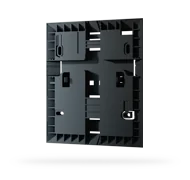
Take off the back plate of the keypad.
In the back plate, break out the appropriate knock-out opening, pull the bus cable through and screw the back plate to the surface with four Ø 3.5 × 40 mm screws with a round head.
For surface-run cabling, the JA-105PL pad can be used, or JA-105PL-AN for the anthracite version. Bear in mind that with the pad the keypad does not meet the security grade declared.
Connect the conductors to the terminal block: +U red as the positive pole of the power supply, A yellow as data conductor A, B green as data conductor B and GND black as the negative pole. Insert the conductors stripped and straight; do not bend them into a loop or a hook.
Place the keypad with its bottom edge on the back plate and slide it down until the latch clicks.
Turn the locking mechanism through 90° clockwise; the keypad is fixed in place and the tamper contacts close.
Switch on the system power supply and enrol the keypad using the recommended software or app for the type of control unit, or by entering the full serial number below the bar code.
In F-Link, on the Devices tab, set the segment functions, the labels, the NFC reader mode, the brightness for DAY and NIGHT and the acoustic signalling.
For a certified deployment, select the corresponding configuration scheme in F-Link on the Parameters tab.
Related products
JA-112E
Bus RFID Access Module
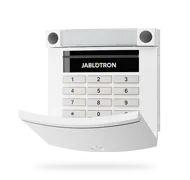
JA-113E
Bus Access Module with keypad and RFID
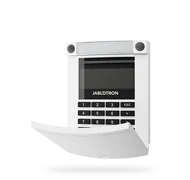
JA-114E
Bus Access Module with display, keypad and RFID
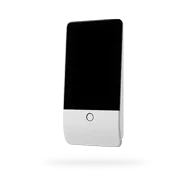
JA-116E
Bus touchscreen keypad with RFID reader
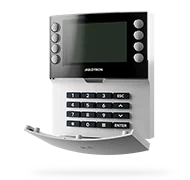
JA-115E
Bus four-segment keypad with display and RFID reader

JA-110E
Bus keypad
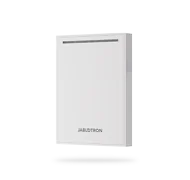
JA-120E-WH
Bus outdoor RFID / NFC reader - white
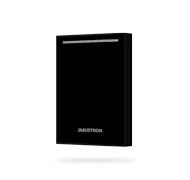
JA-120E-BK
Bus outdoor RFID / NFC reader - black
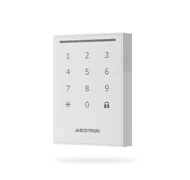
JA-121E-WH
Bus outdoor keypad with RFID / NFC reader - white
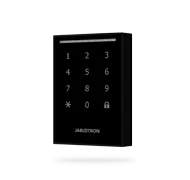
JA-121E-BK
Bus outdoor keypad with RFID / NFC reader - black
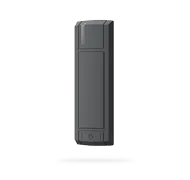
JA-122E-NFC
Bus outdoor RFID reader 13.56 MHz
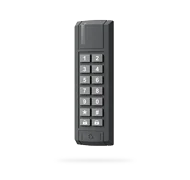
JA-123E-NFC
Bus outdoor keypad with RFID reader 13.56 Mhz
Help us improve the catalog
Missing something, or found a mistake? Let us know.