JA-192E-AN
Control segment for access modules - anthracite
JABLOTRON control segment for access modules, an expansion element for the JA-112E, JA-113E, JA-114E, JA-152E, JA-153E and JA-154E modules. It has no power source or address of its own in the system and works only as part of the unit of the parent module that powers it. It expands the unit to up to 20 segments.
Color variants
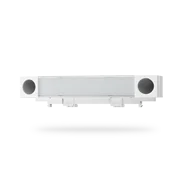
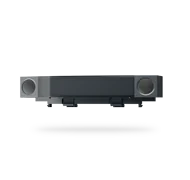
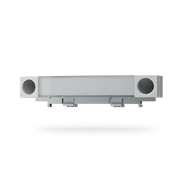
Compatibility
JA-100K, JA-101K, JA-106K, JA-103K, JA-107K, JA-108K
Check compatibilityKey specifications
- Power
- via the access module (9 ... 14 V)
- Average power consumption of a control segment *
- 10 mA
- Dimensions
- 102 x 15 x 33 mm
- Weight
- 20 g
- Classification
- grade 2 according to EN 50131-1, EN 50131-3,
- Environment
- EN 50131-1. general indoor
- Operating temperature range
- -10 to +40 ° C
Basic description
JA-192E is a control segment that you use to add another control device to an access module unit. It is not a stand-alone device; it works only as part of a unit powered from the parent module.
- Control of sections, programmable outputs and hold-up alarm from the panel. You set the function of each segment from the parent module in F-Link.
- Print the labels instead of writing them. Segment labels are printed in F-Link and inserted under the transparent cover.
Why choose this product
Control and authorisation
In F-Link, on the parent module, you assign the segment section control, programmable output control, a hold-up alarm or system status display; the segment itself stores no settings. The segment has no authorisation element of its own; authorisation takes place at the level of the parent module to which the segment is connected. Description labels are inserted under the transparent covers of the segments and are printed in F-Link on the Devices tab of the parent module.
- Section control, programmable output control or hold-up alarm
- Segment function set from the parent module in F-Link
- Description labels are printed in F-Link and inserted under the cover
Power supply and installation
The segment has no power source of its own; it is powered from the parent access module. The consumption of one segment varies with the parent module; for sizing the backup, use the value from the technical specifications of the specific module. The segment clips into the unit of the parent module and is mounted on the wall together with it; with larger units, further segments are also fixed to the wall. The dimensions of one segment are 102 × 15 × 33 mm and its weight is 20 g.
- Powered from the parent module, consumption depends on the specific module
- Clips into the unit, mounted together with the module
- Dimensions 102 × 15 × 33 mm, weight 20 g
Use in the system
The segment is compatible with the JA-112E, JA-113E, JA-114E, JA-152E, JA-153E and JA-154E access modules, but it has no compatibility with the control unit of its own; this is determined by the parent module. It expands the unit to up to 20 segments; the segments are chained by connecting the wire to the connector of the previous segment. After the number of segments is changed, synchronisation in F-Link is required; the procedure differs depending on the parent module. Choose a segment colour that matches the colour of the parent module. The classification is security grade 2 and environmental class II.
- Compatible with the JA-112E, JA-113E, JA-114E, JA-152E, JA-153E and JA-154E modules
- Chaining of up to 20 segments, connector of the previous segment
- Synchronisation in F-Link required after the number of segments is changed
Frequently asked questions
No. The segment has no power source or address of its own in the system and works only as part of the unit of the parent access module that powers it. Without a JA-112E, JA-113E, JA-114E, JA-152E, JA-153E or JA-154E module, the segment has no function.
Up to 20 segments, including the first one, which is part of the module. The segments are chained by connecting the wire to the connector of the previous segment. After the number of segments is changed, synchronisation in F-Link is required; with some modules it takes place automatically, with others using the Read button.
According to the technical specifications of the specific parent module: for JA-152E it is 2.5 mA per segment, for JA-114E 0.5 mA. Calculate the total consumption of the unit according to the module used.
Technical specifications
- Power
- via the access module (9 ... 14 V)
- Average power consumption of a control segment *
- 10 mA
- Dimensions
- 102 x 15 x 33 mm
- Weight
- 20 g
- Classification
- grade 2 according to EN 50131-1, EN 50131-3,
- Environment
- EN 50131-1. general indoor
- Operating temperature range
- -10 to +40 ° C
- Complies with
- EN 50130-4, EN 55022
Warning
- The segment does not work on its own; without the parent module it has neither power nor function. The unit is limited to 20 segments, including the first segment contained in the module. When changing the unit, first remove the batteries of the parent module and disconnect the external power supply. After the number of segments is changed, carry out synchronisation in F-Link; otherwise the system works with the old configuration. Choose a segment colour that matches the colour of the parent module.
Installation example
The segment is installed as part of the unit of the parent access module.
On the parent module, press the four latches on the sides one by one and release the module from the plastic back part.
Before installing another segment, remove the end cap above the first segment.
Remove the transparent covers from the segments by prising them off from the side next to the buttons.
Connect the segment wire to the connector of the previous segment and clip the segments together; coil the wires by turning the segment through 360° so that they are not trapped between the plastic parts. After installing all segments, refit the end cap.
Screw the back plate of the module together with the segments to the chosen location; with larger units, fix further segments to the wall as well.
Connect the segment lead to the internal connector of the module and clip the module into the unit.
Insert the labels printed in F-Link on the Devices tab under the segment covers and close the covers.
In F-Link, on the Devices tab, Segments tab, assign functions to the individual segments.
After the number of segments is changed, synchronise the unit in F-Link; the procedure differs depending on the parent module.
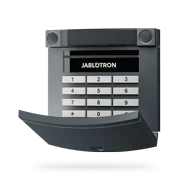
Accessories
Related products
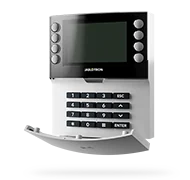
JA-155E
Wireless four-segment keypad with display and RFID reader
JA-156E
Wireless touchscreen keypad with reader RFID
JA-112E
Bus RFID Access Module
JA-113E
Bus Access Module with keypad and RFID
JA-114E
Bus Access Module with display, keypad and RFID
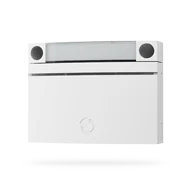
JA-152E
Wireless access module with RFID
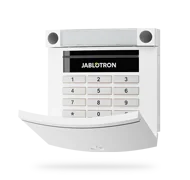
JA-153E
Wireless access module with RFID and keypad
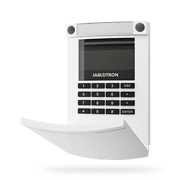
JA-154E
Wireless access module with display, keypad and RFID
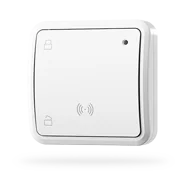
JA-151E
Wireless Chip Reader for Section Control
JA-196J
Dual tag LF-HF UID

JA-190J
RFID access card for the JA-100 system
JA-116E
Bus touchscreen keypad with RFID reader
Help us improve the catalog
Missing something, or found a mistake? Let us know.