JA-155E-AN
Wireless four-segment keypad with display and RFID reader - anthracite
Fixed segments with labels right on the display. Traffic-light logic for quick, clear everyday control, a backlit keypad and authorisation by code or by a 125 kHz tag.
Color variants
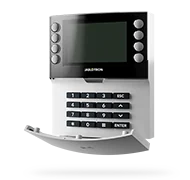
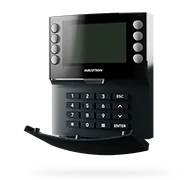
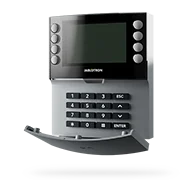
Product line
- JABLOTRON 100+
- JABLOTRON Mercury
Compatibility
JA-103K, JA-107K, JA-108K, JA-102K, JA-152KRY
Check compatibilityKey specifications
- Power supply
- 4 x alkaline batteries, type: AA (LR6) 1.5 V Please note: Batteries are not included.
- RFID frequency
- 125 kHz
- Classification
- Security grade 2/Environmental class II (according to EN 50131-1)
Basic description
Simple, clear control of the alarm. The system indicator and the segments show the status in green, yellow or red. On top of that, the keypad gives an audible warning of the entry and exit delay and of an alarm.
- To control the system, all you need is to enter a numeric code or present a card or tag. The new status is then shown by the colour of the segment.
- 4 fixed segments with labels on the display, clear at first glance
- The backlit display shows the date and time or the temperature from a selected detector
Why choose this product
Simple authorisation
The code is entered on the numeric keypad and a card or tag only has to be presented. The card and tag reader is part of the keypad.
- A numeric keypad with adjustable backlighting
Easy installation
All 4 segments are a fixed part of the keypad and their number cannot be extended. The keypad is therefore installed as a single unit and the installation is simple.
- Wireless battery operation, installation without cabling
- No assembling of segments and no printing of labels
Choosing the right type of keypad
A broad portfolio of keypads meets different control needs. From the main entrance through a floor or a garage to a gate or a delivery entrance.
- The main keypad of the system should always have a display for full control; choose from the JA-1x4E, JA-1x5E or JA-1x6E
- A secondary keypad on a floor or in a garage can be without a display; choose from the JA-1x3E, JA-121E or JA-123E
- For a single-purpose function such as passing through a door or opening a gate, a reader may be enough; choose from the JA-1x2E, JA-120E or JA-122E
Frequently asked questions
The way it is powered and how it behaves as a result. The JA-155E runs on four AA batteries and goes to sleep after 8 s without a keypress, which switches off the visual signalling and the RFID reader; the bus JA-115E has permanent power and permanent indication. Both keypads have the same four fixed segments and the same 125 kHz RFID reader.
The frequency of the reader. The JA-155E reads identifiers at 125 kHz, whereas the JA-155E-NFC works at 13.56 MHz and older identifiers for 125 kHz do not work at that frequency. Mechanically and in their dimensions, the two keypads are identical.
Four segments are not the same as four sections. Thanks to the Common segment function, one segment can control several sections, while another may only signal a status. The labels on the display state clearly what each segment does, and the installation company can change them without replacing any stickers.
Technical specifications
- Power supply
- 4 x alkaline batteries, type: AA (LR6) 1.5 V Please note: Batteries are not included.
- Typical lifetime of batteries
- 1–2 Years
- LowBatt state
- <4.5 V
- Quiescent current consumption (6 V)
- 245 µA
- Maximum current consumption (6 V)
- 115 mA
- External power supply 12 V +/-1 V
- typ. 45 mA, max. 100 mA
- Communication band
- 868.1 MHz, JABLOTRON protocol
- Maximum radio-frequency power (ERP)
- <25 mW
- Communication range
- approx 200 m (open area)
- RFID frequency
- 125 kHz
- Dimensions
- 110 x 136 x 33 mm
- Weight (w/o batteries)
- 285 g
- Classification
- Security grade 2/Environmental class II (according to EN 50131-1)
- Environment
- indoor general
- Operating temperature range
- -10 °C to +40 °C
- Average operating humidity
- 75% RH, w/o condensation
- Certification body
- Trezor Test s.r.o. (no. 3025)
- In compliance with
- ETSI EN 300 220-1,-2, ETSI EN 300 3300, EN 50130-4, EN 55032, EN 62368-1, EN 50581, EN 50131-1, EN 50131-3, EN 50131-5-3, EN 50131-6,
- Operating conditions according to general authorization
- ERC REC 70-03
- Recommended screw
- 4 x o 3.5 x 40 mm (countersunk head)
Warning
Keyboard with RFID chips - when combined with a MiFare/NFC reader in the installation, equip the user with dual authorization chips.
- When an external power supply or a door magnet contact is used, the product does not meet the requirements of Incert (T 031) or EN 50131. The inserted batteries are not recharged by the external adapter; they are meant to remain as a back-up for a mains failure. The Permanently on option for the RFID reader only applies with a permanent supply from the external adapter; in battery operation the reader always switches off automatically. Do not apply the Authorisation unsets a section with an entry delay in progress option to the Common section; it may lead to the unwanted unsetting of all the assigned sections and of the whole system. The maximum length of the external adapter cable is 3 m. Replace the batteries within 2 weeks of the low battery state being reported. The segments do not signal if the system is in service or if the segment has the function None. The keypad belongs in an indoor environment only, −10 to +40 °C and 75 % RH non-condensing. The recommended screw has a round head. Installation may only be carried out by a trained technician with a valid JABLOTRON certificate. The control unit must have a JA-11xR radio module.
Installation example
Switch the system to SERVICE or MAINTENANCE mode before replacing the batteries, otherwise a tamper alarm will be triggered.
Take out the mounting pad (the rear part); if it does not come out easily, open the locking mechanism first.
Screw the rear part to a flat wall with four screws; for an external power supply or a door opening detector, use the terminals in the rear part.
Make sure that a JA-11xR radio module is installed in the system.
Insert four AA alkaline batteries with the correct polarity.
Enrol the keypad into the system using the recommended software or application for the type of control unit, or by entering the full serial number.
Place the keypad with its bottom edge on the rear part, slide it down until the latch clicks and turn the locking mechanism through 90° clockwise, which closes the tamper contact.
In F-Link, on the Devices tab under the Segments and Settings tabs, set the labels, the segment functions and the light intensity for DAY and NIGHT.
For certified operation, select the corresponding configuration scheme in F-Link on the Parameters tab.
Accessories
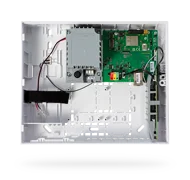
Related products
JA-155E
Wireless four-segment keypad with display and RFID reader
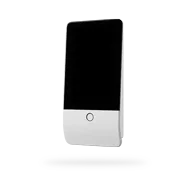
JA-156E
Wireless touchscreen keypad with reader RFID
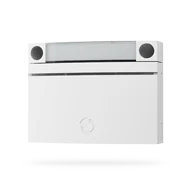
JA-152E
Wireless access module with RFID
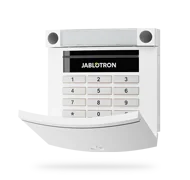
JA-153E
Wireless access module with RFID and keypad
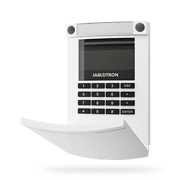
JA-154E
Wireless access module with display, keypad and RFID
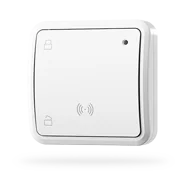
JA-151E
Wireless Chip Reader for Section Control
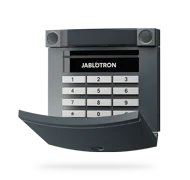
JA-153E-AN
Wireless access module with RFID and keypad - anthracite
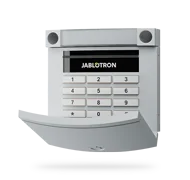
JA-153E-GR
Wireless access module with RFID and keypad - grey
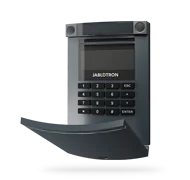
JA-154E-AN
Wireless access module with display, keypad and RFID - anthracite
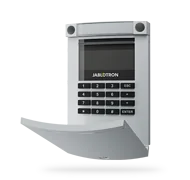
JA-154E-GR
Wireless access module with display, keypad and RFID - grey
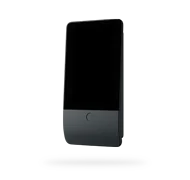
JA-156E-AN
Wireless touchscreen keypad with reader RFID - Anthracite
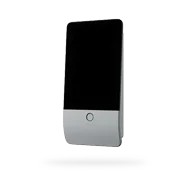
JA-156E-GR
Wireless touchscreen keypad with reader RFID - grey
Help us improve the catalog
Missing something, or found a mistake? Let us know.