JA-156E-AN
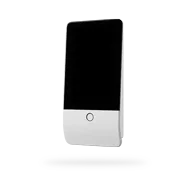
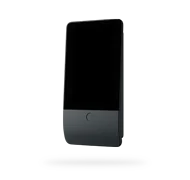
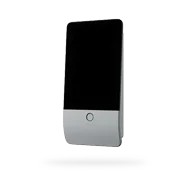
Wireless touchscreen keypad with reader RFID - Anthracite
Touch control of sections and PG outputs. The screen only offers what is assigned to the keypad, so the controls stay clear. Authorisation by code or by a 125 kHz tag.
Color variants
Product line
- JABLOTRON 100+
- JABLOTRON Mercury
Compatibility
JA-103K, JA-107K, JA-108K, JA-102K, JA-152KRY
Check compatibilityKey specifications
- Power supply
- External power supply from adapter +12 V DC (8–15 V) type A (according to EN 50131-6) Please note: Battery is not included.
- RFID frequency
- 125 kHz
- Classification
- Security grade 2/Environmental class I (According to EN 50131-1)
- Dimensions
- 95 x 183 x 30 mm
Basic description
The touch interface stays simple in a small installation and copes with all the sections of a large building. The individual screens adapt to what is in the system, from guarding control through PG outputs to displaying temperatures from the sensors.
- Control on a touchscreen whose brightness adapts itself to day and night
- Temperatures from up to 8 sensors, 2 of them on the lock screen as well
- Audible indication of system statuses, with the volume set separately for day and night
- The LED in the mechanical button shows the system status even when the screen is off
Why choose this product
Simplicity first
The functions are divided up clearly on the screen, and the PG outputs have their own tab, separate from the sections. If authorisation is required, all you need is to enter a code or present a card or tag.
- The code is entered on the screen, and a card or tag only has to be presented to the front of the keypad
- Control without authorisation can be permitted separately for selected sections and PG outputs
- After a while without the screen being touched, the authorisation ends by itself
It matches the interior and is easy to install
The keypad is available in the basic, anthracite and grey versions so that it matches the interior. Installation is simple, with the rear part screwed to the wall.
- The keypad firmware can be updated
- The power supply hides in a KU68 box under the keypad
- The JA-106PL pad is available for bringing cabling to it on the surface
Choosing the right type of keypad
A broad portfolio of keypads meets different control needs. From the main entrance through a floor or a garage to a gate or a delivery entrance.
- The main keypad of the system should always have a display for full control; choose from the JA-1x4E, JA-1x5E or JA-1x6E
- A secondary keypad on a floor or in a garage can be without a display; choose from the JA-1x3E, JA-121E or JA-123E
- For a single-purpose function such as passing through a door or opening a gate, a reader may be enough; choose from the JA-1x2E, JA-120E or JA-122E
Frequently asked questions
Because the word wireless refers only to communication with the control unit. The power supply is permanently wired from an external source, and the Li-Ion rechargeable battery serves only as a back-up with a life of over 48 h for a short failure. Without the power supply, the keypad does not work permanently even with the rechargeable battery charged.
In the way it communicates and in the security grade. The JA-156E communicates by radio and requires a JA-11xR radio module, whereas the JA-116E communicates over the bus. The JA-156E is classified for security grade 2, while the JA-116E reaches grade 3. The JA-156E offers a wider range of lock screen settings, up to Permanently, whereas the JA-116E offers only Off or 1 min.
No, the classification of the JA-156E is security grade 2. For grade 3, choose the bus JA-116E touch keypad. The screen shows the status of the whole system in one place and the controls do not have to be learned from segment labels.
Technical specifications
- Type of control device (ACE)
- type B
- Power supply
- External power supply from adapter +12 V DC (8–15 V) type A (according to EN 50131-6) Please note: Battery is not included.
- Backup battery
- Li-Ion Polymer battery
- Voltage/capacity
- 3.7 V/2500 mAh, recommended type BAT-3V7-2500
- Maximum capacity
- 2520 mAh
- Minimum capacity
- 2500 mAh
- Typical backup battery lifetime
- >48 hrs
- LowBatt state
- 3.5 V
- Maximum charging time to reach 80% of capacity
- 6–7 hrs
- Nominal current consumption (display OFF)
- 58 mA
- Maximal current consumption (display ON)
- 280 mA
- Communication band
- 868.1 MHz, JABLOTRON protocol
- Maximum radio-frequency power (ERP)
- <25 mW
- Communication range
- approx. 200 m (open area)
- RFID frequency
- 125 kHz
- Maximum RFID magnetic field strength
- -5.4 dBµA/m (measured at 10 m)
- Dimensions
- 95 x 183 x 30 mm
- Weight (without battery)
- 258 g
- Classification
- Security grade 2/Environmental class I (According to EN 50131-1)
- Environment
- Indoor
- Operating temperature range
- 0 °C to +40 °C
- Average operational humidity
- 75% RH, w/o condensation
- Certification body
- Trezor Test s.r.o. (nr. 3025)
- In compliance with
- ETSI EN 300 220-1, -2, ETSI EN 300 330, EN 50130-4, EN 55032, EN IEC 62368-1, EN IEC 63000, EN 50131-1, EN 50131-3, EN 50131-5-3, EN 50131-6
- Can be operated according to
- ERC REC 70-03
- Recommended screw
- 4 x o 3.5 x 40 mm (countersunk head)
Warning
- The classification is security grade 2 and environmental class II; for installations with grade 3, choose the bus JA-116E. Authorisation ends automatically 15 s after the screen was last touched. All sections and all PG outputs are selected from the factory; restrict them in F-Link if you want to narrow the keypad down to only some of them. The keypad is powered exclusively from an external +12 V DC power supply; the recommended type is the HLK-PM12JBT, alternatively the DE06-12 or the LT-089.07, and the power supply is not included in the package. The rechargeable battery serves only as a back-up to bridge a short power failure, for about 48 h at most, not as a primary source, and it is not included in the package either. The maximum consumption of 280 mA occurs with the display on, so size the power supply and the cabling for that value, not for the nominal 58 mA. The length of the supply conductor should not exceed 3 m. The operating temperature range is only 0 to +40 °C, which is narrower than for the rest of the family, so do not use the keypad in unheated areas. The firmware update requires the keypad to be taken off the pad and a USB-C cable; once it is complete, the settings may be kept or reset to the factory values. The keypad belongs in an indoor environment only, without condensation. Installation may only be carried out by a trained technician with a valid JABLOTRON certificate. The control unit must have a JA-11xR radio module. To comply with EN 50131-1 and T 031, install the power supply in the KU68 mounting box supplied, underneath the keypad.
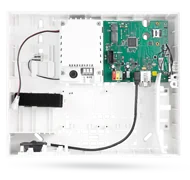
Installation example
The keypad must be permanently powered from an external +12 V DC power supply; the rechargeable battery serves only as a back-up for a short failure.
Take out the mounting pad (the rear part); if it does not come out easily, open the locking mechanism first.
Break out the blanking piece in the appropriate recess in the rear part, pull the power cable through from the power supply and screw the rear part to the wall with four Ø 3.5 × 40 mm round-head screws; choose a height at the users' eye level.
Insert the backup rechargeable battery and plug it into the connector; the recommended type is the BAT-3V7-2500.
Connect the power wires into the terminal block: the positive pole red, the negative pole black; insert only stripped straight conductors.
Place the keypad on the rear part by aligning the bottom edge, slide it down until the latch clicks and turn the locking mechanism through 90° clockwise, which closes the tamper contact.
Switch the keypad power on and make sure that a JA-11xR radio module is installed in the system.
Enrol the keypad using the recommended software or application for the type of control unit; alternatively by entering the serial number, that is all the digits under the bar code, by connecting the power and the rechargeable battery, or by pressing the mechanical button.
Wait while the keypad downloads the texts and the configuration of the control unit; the process is indicated by the logo and three dots and may take several minutes.
In F-Link, on the Devices tab, select the sections and PG outputs to be controlled and set the backlighting and the volume for day and night.
For certified use, select the corresponding system profile in F-Link on the Parameters tab.
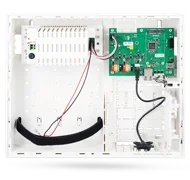
Related products
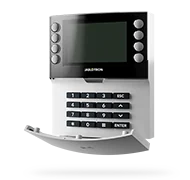
JA-155E
Wireless four-segment keypad with display and RFID reader
JA-156E
Wireless touchscreen keypad with reader RFID
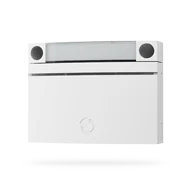
JA-152E
Wireless access module with RFID
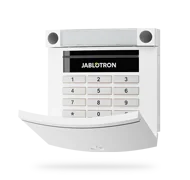
JA-153E
Wireless access module with RFID and keypad
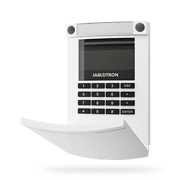
JA-154E
Wireless access module with display, keypad and RFID
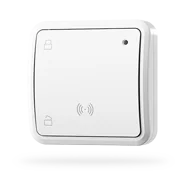
JA-151E
Wireless Chip Reader for Section Control
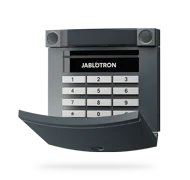
JA-153E-AN
Wireless access module with RFID and keypad - anthracite
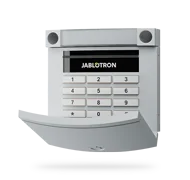
JA-153E-GR
Wireless access module with RFID and keypad - grey
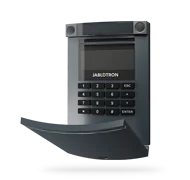
JA-154E-AN
Wireless access module with display, keypad and RFID - anthracite
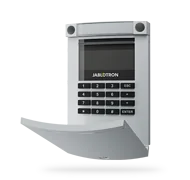
JA-154E-GR
Wireless access module with display, keypad and RFID - grey
JA-156E-GR
Wireless touchscreen keypad with reader RFID - grey
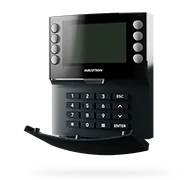
JA-155E-AN
Wireless four-segment keypad with display and RFID reader - anthracite
Help us improve the catalog
Missing something, or found a mistake? Let us know.