JA-159J
Wireless doorbell button
A doorbell button for the JABLOTRON system, wireless and built for an outdoor entrance. It has a single large button with an interchangeable name label, so it is visible at the entrance whom the doorbell belongs to. It is installed by a trained technician with a valid JABLOTRON certificate.
Product line
- JABLOTRON 100+
- JABLOTRON Mercury
Compatibility
JA-100K, JA-101K, JA-106K, JA-103K, JA-107K, JA-108K, JA-102K, JA-152KRY
Check compatibilityKey specifications
- Power supply
- 2x lithium battery type CR 2032 (3.0 V/0.2 Ah) (Power supply type C, according to EN 50131-6)
- Typical battery lifetime
- approx. 5 years (3 activations per day, outdoor)
- Communication band
- 868.1 MHz, JABLOTRON protocol
- Communication range
- approx. 300 m (open area)
- Environment according to EN 50131-1
- Class III outdoor-sheltered
- IP rating
- IP65
- Operational temperature range
- -25 to +60 °C
Basic description
With the four wall buttons, a single question decides: is there a bus at the location or not? Where there is, the JA-112J belongs. Where there is no cable, you choose between the wireless ones: the JA-158J confirms back that the system has actually carried out the command, the JA-188J is configured with switches directly in its box, and the JA-159J is a doorbell button for an outdoor entrance. What a press should do does not divide the family: hold-up alarm, doorbell and control of appliances are a matter of settings for all of them.
- What the button does is decided by its settings, not by the product type. The very same button can therefore control appliances in one place and trigger an alarm in another.
- It communicates using the JABLOTRON wireless protocol and carries its own power supply. You therefore do not run any cable to the button.
- You select the function in F-Link at the position to which the button is enrolled. Changing the reaction is therefore a matter of settings, not of replacing the product.
Why choose this product
What happens after a press
A press has a single task: to send the system a command. What happens next is determined by the reaction assigned to the position to which the button is enrolled in the system, from switching a PG output to triggering an alarm. If the product has two buttons, A and B, each can carry a different reaction; they can also carry the same one, in which case it does not matter which is pressed. A single button always carries only one reaction.
- Wireless doorbell, triggering a hold-up alarm or control of appliances
- The doorbell function needs an indoor siren in the system and a free PG output linked to the button; you select the sound in the siren settings
- Interchangeable 18 × 65 mm name label, printed from F-Link
What the system needs for it
The button is a peripheral like any other. In the F-Link program, the position to which the button is enrolled is selected on the Devices tab, and a reaction is assigned to the same position. It can also be enrolled by entering the product's serial number.
- The control unit must be fitted with a JA-11xR radio module
- It can also be enrolled to AC-16x series multifunction relays, including several with different functions; if both the control unit and a relay are within range, the set action takes place on both
Where it is installed
It is always installed with its canopy: the canopy serves as the base, and without it there is nothing to fix the button to. The canopy is designed so that doorbell buttons can be installed one above the other, which is useful at the entrance to a building with several flats. The screws must have a countersunk head and be properly tightened, otherwise the button will not sit correctly in the canopy and cannot be locked in place.
- Power is supplied by two CR 2032 lithium batteries; typical life outdoors is approximately 5 years at 3 activations a day
- IP65 ingress protection and an operating temperature range of −25 °C to +60 °C
- Range approximately 300 m in direct line of sight
Frequently asked questions
It sends the system an activation whose result is determined by the settings of the position. With the doorbell function, the activation is linked to a PG output and results in a melody or tone in the indoor siren, but it can also be a hold-up alarm or switching an appliance. The activation can also have no reaction in the system and serve only to control a multifunction relay.
Wherever the system's siren is. The sound is not produced by the button but by the siren to which the activation is linked via a PG output, so the reach of the ringing is the reach of the siren, not of the button. If it needs to be heard in several rooms, this is solved by the number and placement of sirens.
Technical specifications
- Power supply
- 2x lithium battery type CR 2032 (3.0 V/0.2 Ah) (Power supply type C, according to EN 50131-6)
- Typical battery lifetime
- approx. 5 years (3 activations per day, outdoor)
- Communication band
- 868.1 MHz, JABLOTRON protocol
- Communication range
- approx. 300 m (open area)
- Environment according to EN 50131-1
- Class III outdoor-sheltered
- IP rating
- IP65
- Operational temperature range
- -25 to +60 °C
- Relative air humidity
- 25 to 75%
- Dimensions, weight
- 70 x 30 x 20 mm, 37 g
- Dimensions, weight (including the roof cover)
- 77 x 47 x 28 mm, 60 g
- Operational conditions
- ERC REC 70-03
- Also complies with
- ETSI EN 300220, EN 55032:2015, EN 50130 4+A1:2014, EN 62368-1, EN 50581:2012
Warning
- Never place the button on metal objects. Metal can shorten its operating range.
Installation example
Mount the canopy in the required place with two Ø 3.5 × 40 mm screws with a countersunk head and tighten them properly. Watch out for uneven surfaces.
Remove the button's label cover by gently levering it with a wider flat-blade screwdriver.
Insert the name label printed from F-Link into the cover and fit the cover back onto the button.
Fit the button against the top wall of the canopy and lock it in place by sliding it down into the grooves.
In F-Link, select the required position on the Devices tab and switch on enrolment mode with the Enrol option.
Press the button for longer than 6 seconds. This sends the enrolment signal and the button is enrolled to the selected position. It can also be enrolled by entering the serial number from the sticker on the back.
Set the properties in F-Link with the Internal settings option on the Devices tab.
For the doorbell function, link the activation to a free PG output and select the required sound on the PG signalling tab in the siren's internal settings.
Related products
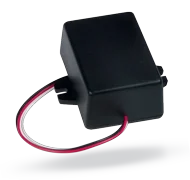
JA-185J
Remote control for car
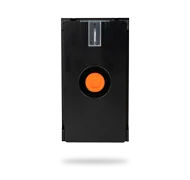
JA-156J
Wireless multifunctional panic button
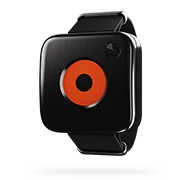
JA-157J
Wireless wrist and necklace panic button
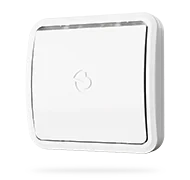
JA-158J
Wireless wall button
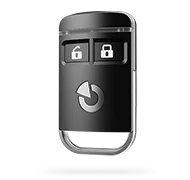
JA-152J MS II
Bi-directional two-button keyfob
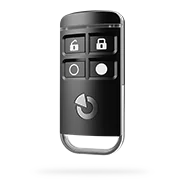
JA-154J MS II
Bi-directional four-button keyfob
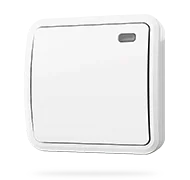
JA-112J
Bus emergency/control wall-mounted button
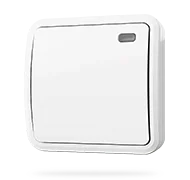
JA-188JDiscontinued
Wireless panic button
JA-187JDiscontinued
Wireless wrist button
Help us improve the catalog
Missing something, or found a mistake? Let us know.