JB-112TH
BUS temperature, humidity and CO₂ sensor with thermostat function
It controls heating, cooling and ventilation, which it also switches according to CO₂. It allows remote operation and an overview of the temperature and humidity in MyJABLOTRON. It warns when a critical temperature is reached.
Color variants
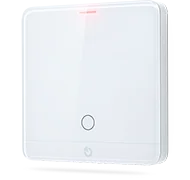
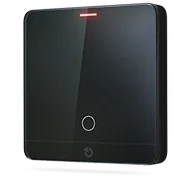
Key specifications
- Temperature measuring range with external sensor
- -40 to +125 °C (± 0.2 °C)
- Operating temperature range
- -10 to +40 °C
- Humidity measurement range
- 0 to 100 % RH (±1.8)
- CO₂ measurement range
- 400–5,000 ppm
- CO₂ measurement accuracy
- 400–1,000 ppm: ±50.0 ppm ±2.5 % m.v. 1,001–2,000 ppm: ±50.0 ppm ±3.0 %w.b. 2,001–5,000 ppm: ±40.0 ppm ±5.0 %w.b.
- CO₂ measurement resolution
- 1 ppm
- *Temperature controller class
- I. (according to Regulation (EU) No. 813/2013)
Basic description
The sensor with a thermostat function serves to regulate heating and cooling according to the temperature of the space. Once the optional floor sensor is connected, it makes sure that the floor does not overheat. It switches the PG output connected to the heating system until the required temperature is reached. A heating schedule, the option of remote operation and the setback when the alarm is switched on all help to reduce heating costs. The sensor also measures humidity and CO₂ and can switch a fan on when they rise.
- A single sensor can control heating, cooling and ventilation
- A heating setback when you leave, blocking when a window is opened
- The current temperature and humidity clearly shown in MyJABLOTRON
- Control and detailed settings from the application; after the button is pressed, the LED shows whether it is heating or cooling
Why choose this product
Automatic operation and remote operation
For use in a home or an office, you will make use of the Calendar mode, in which the sensor switches between the comfort and the economical temperature by itself according to a schedule. For technical areas that need a constant temperature, the Manual temperature mode with a fixed value is ideal. For holiday properties, the option of switching the sensor on and off remotely works excellently. During the heating season, though, it keeps watch even in the switched-off state so that the temperature does not fall below the set limit. In a bathroom it starts the ventilation after a shower according to the humidity.
- Switching between the operating modes and setting the schedule conveniently from a mobile phone
- Keeping a minimum temperature in the Off mode during the heating season
- Automatic venting of humidity and CO₂
Lower costs thanks to linking the heating with the alarm
When you leave (when the alarm is switched on), the sensor in the Calendar mode shortens the comfort section and goes over to the economical temperature. You do not have to think about anything and you still save.
- Shortening the comfort section when you leave
- Blocking the heating in a particular room with an open window
- Switching the heating off remotely when your holiday goes on longer
An immediate warning at a critical temperature
An alarm or a fault can be set up directly in the system for a selectable critical low or high temperature. The function is excellent wherever the temperature of the space is crucial. An alarm can also be set for poor air quality with a high CO₂ concentration.
- PUSH notifications and SMS
- Reporting to the ARC
Frequently asked questions
It is the anthracite version of the same product: you order it under the full code JB-112TH-AN and it differs from the basic version neither in its functions nor in its technical parameters.
Yes, once the optional floor sensor is connected. It then does not let the floor overheat above the set ceiling, but it still controls the normal room temperature according to the air.
Technical specifications
- Temperature measuring range with external sensor
- -40 to +125 °C (± 0.2 °C)
- Operating temperature range
- -10 to +40 °C
- Humidity measurement range
- 0 to 100 % RH (±1.8)
- CO₂ measurement range
- 400–5,000 ppm
- CO₂ measurement accuracy
- 400–1,000 ppm: ±50.0 ppm ±2.5 % m.v. 1,001–2,000 ppm: ±50.0 ppm ±3.0 %w.b. 2,001–5,000 ppm: ±40.0 ppm ±5.0 %w.b.
- CO₂ measurement resolution
- 1 ppm
- *Temperature controller class
- I. (according to Regulation (EU) No. 813/2013)
- *Contribution of regulators to seasonal efficiency
- η S = 1 % (according to Regulation (EU) No 813/2013) *for both parameters in configuration with control unit
- Power
- from the JA-100+ control panel bus 12 V DC (8–15 V) from the Futura unit bus 24 V DC (18–30 V)
- Quiescent current consumption
- 5.2 mA
- Maximum current consumption
- 22 mA
- IP resistance
- IP 31
- Dimensions
- 82 x 82 x 22 mm
- Weight
- 82.9 g
- Operating humidity
- 75 % RH (non-condensation)
- Environment
- Indoor general
- Also complies with
- EN 50130-4, EN 55032, EN IEC 63000
- Recommended screws
- 2x ø 3.5 mm (half-round head)
Warning
- Do not install the sensor in the immediate vicinity of windows and doors. The CO₂ concentration changes quickly there and distorts both the accuracy of the measurement and the ventilation logic. The sensor does not detect tampering, so in alarm systems with security grade 2, connect it behind the JA-110T bus isolator. For the full range of functions, the system must be registered in the JABLOTRON Cloud; some functions may be charged for.
Installation example
Always connect the bus with the system power supply completely switched off.
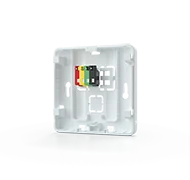
For surface mounting, break the plastic square out of the rear part so that the cables can be pulled through, pull the cables through the square hole and fix the rear part to the wall with two screws.
For partially recessed mounting, pull the cables through the hole in rear part B and fix it into the KU wiring box with two screws, which are not included in the package.
Connect the bus wires, and the floor sensor wires if applicable, to the terminal block.
Fit the top part into the latches and secure it by pulling it down.
Secure the product by turning the locking mechanism on the underside clockwise.
Then follow the installation manual of the control unit: in the F-Link program, select the required position on the Devices tab and switch on enrolment mode with the Enrol button.
Open the Scan/add new BUS devices selection and double-click to select the sensor; it can also be enrolled by entering the full serial number. Then continue to the Internal settings of the peripheral.
Related products
JB-150N-HEAD
Wireless thermostatic head

JB-EXT-TH-R
Wireless outdoor thermometer
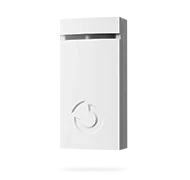
JA-111TH
Bus temperature detector
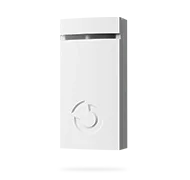
JA-151TH
Wireless temperature detector

JB-EXT-TH-B
Bus outdoor thermometer
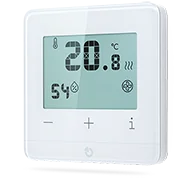
JB-111TP
Bus room thermostat
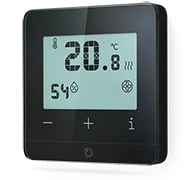
JB-111TP-AN
Bus room thermostat - anthracite
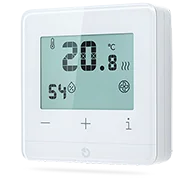
JB-151TP
Wireless room thermostat
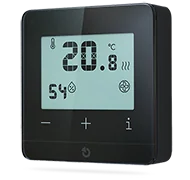
JB-151TP-AN
Wireless room thermostat - anthracite
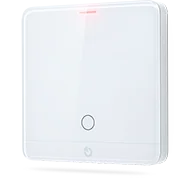
JB-111TH
Bus temperature and humidity sensor with thermostat function
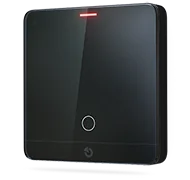
JB-111TH-AN
Bus temperature and humidity sensor with thermostat function - anthracite
JB-112TH-AN
BUS temperature, humidity and CO₂ sensor with thermostat function - anthracite
Help us improve the catalog
Missing something, or found a mistake? Let us know.