JB-162N-PLUG
Wireless plug with external output (French)
It provides a permanent power supply and controls an appliance connected to the cable outlet.
Compatibility
JA-100K, JA-101K, JA-106K, JA-103K, JA-107K, JA-108K, JA-102K, JA-152KRY
Check compatibilityKey specifications
- Power supply
- 110–250 V/50–60 Hz
- Power consumption at 230 V AC (min/max)
- 0.4 W/1 W
- Communication band
- 868.1 MHz, Jablotron protocol
- Maximum radio-frequency power (ERP)
- 25 mW
- Antenna
- internal
- - Maximum acceptable relay voltage
- 250 V AC
- - Resistive load (cos φ = 1)
- max. 16 A
Basic description
The socket is permanently live, and a voltage-free NO contact that copies the programmable output assigned is connected to the cable outlet. This makes it exceptionally easy to connect the control of a garage door, a gas boiler and similar to the system.
- Suitable for all appliances powered from a socket and controlled by a voltage-free input
- The cable output switches up to 1 A at 250 V AC or 24 V DC
- The universal button can control any programmable output in the system, not only the appliance connected
Why choose this product
Door control in a couple of minutes
JB-162N-PLUG is simply plugged into the socket for the door motor. The motor's power supply is plugged straight into it. The pair of conductors of the cable outlet goes straight to the input for external button control. That is it; you gain wide-ranging access options for the garage exceptionally easily.
- From MyJABLOTRON remotely, for the postman with a parcel for instance
- With a single remote control together with the alarm and other appliances
- From the keypads inside the house and outside, or by a ring from authorised telephones
Boiler control made simple
JB-162N-PLUG makes it easy to link the system to a gas boiler and so to regulate the heat source efficiently, in cooperation with JABLOTRON thermostats. Mounting and wiring are just as simple as for a garage door.
- Connecting the boiler to the system without any cable preparation
- If at least one thermostat is calling for heat, the boiler is switched on; once everywhere is warm, the boiler switches off
Frequently asked questions
Yes, the socket stays a through socket and live regardless of the state of the relay. That has nothing to do with the switched external output, though; that is a separate voltage-free contact at the end of the cable.
A voltage-free switching contact of the relay at the end of a 2 m cable. You connect it to the input of the device being controlled and switch it just like a conventional relay, by a command from the control unit or by the button on the socket.
Technical specifications
- Power supply
- 110–250 V/50–60 Hz
- Power consumption at 230 V AC (min/max)
- 0.4 W/1 W
- Communication band
- 868.1 MHz, Jablotron protocol
- Maximum radio-frequency power (ERP)
- 25 mW
- Antenna
- internal
- - Maximum acceptable relay voltage
- 250 V AC
- - Resistive load (cos φ = 1)
- max. 16 A
- - Induction, capacitive load (cos φ = 0.4)
- max. 8 A
- External output maximum loadability
- 250 V AC / 24 V DC / max. 1 A
- Dimensions
- 70 x 70 x 77.6 mm
- Weight
- 175 g
- External output cable length
- 2 m
- Operating temperature range
- -10 °C to + 40 °C
- Average operating humidity
- 75% RH, non-condensing
- In compliance with
- ETSI EN 300 220-1,2, EN 50130-4, EN 55032, EN 62368-1, EN IEC 6300
- Can be operated according to
- ERC REC 70-03
Warning
- The external output contact may only be wired to an appliance by a qualified person. The product may only be installed by a trained technician with a valid JABLOTRON certificate. The through socket remains live regardless of the state of the relay, so it cannot be used as a second switched circuit. The through socket and the external output have different load capacities; do not confuse them. The control unit must have a JA-11xR radio module.
Installation example
Plug JB-162N-PLUG into a mains socket.
Connect the external output contact to the input of the device being controlled; this wiring may only be carried out by a qualified person.
In the F-Link software, select the required position on the Devices tab and switch on the enrolment mode with the Enrol option.
Press the button on the front panel; the socket then sends the enrolment signal and is enrolled to the position selected. The yellow indicator is then replaced by green.
Set the behaviour of the output in Internal settings on the Devices tab: which programmable output the relay is to copy and what the button is to respond to.
Related products
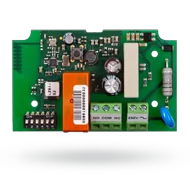
JA-150N
Wireless power output module PG
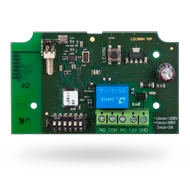
JA-151N
Wireless signal output module PG
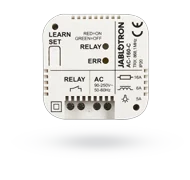
AC-160-C
Mounting-box-fitted wireless multifunctional power relay
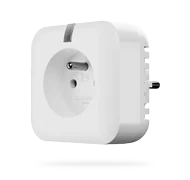
JB-160N-PLUG
Smart Wireless Plug (French)
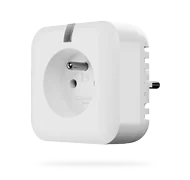
JB-164N-PLUG
Smart Socket with Consumption Measurement (French)
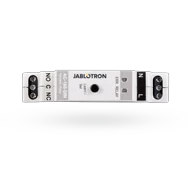
AC-160-DIN
Wireless multifunctional relay for DIN-rail installation
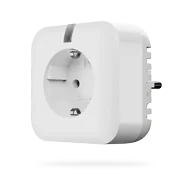
JB-161N-PLUG
Smart Wireless Plug (Schuko)
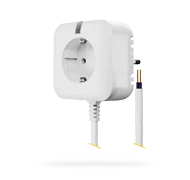
JB-163N-PLUG
Wireless plug with external output (Schuko)
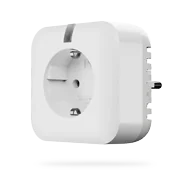
JB-165N-PLUG
Smart Socket with Consumption Measurement (Schuko)
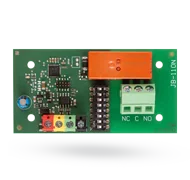
JB-110N
Bus PG power output module
JA-110N-DIN
Bus DIN power output module
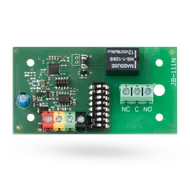
JB-111N
Bus signal PG output module
Help us improve the catalog
Missing something, or found a mistake? Let us know.